

Virtual Programming from the Library - Week of 5/25/20
May 20, 2020
Did you know that you can continue to stay connected to the Library while staying home? How would you like to participate in a virtual storytime with your family or receive resume help all from the comfort of your couch? Join Charlotte Mecklenburg Library every week for a wide range of virtual programming for children, teens and adults. See a complete listing of this upcoming programming for the week of 5/25/2020* below. Click the corresponding links for more information and register for programs where applicable.
Learn more about online programming by clicking here
*As a reminder, there will be no virtual programming on Monday 5/25 in observance of Memorial Day
Sunday 5/24
International Authors Book Club for 20-30 Somethings (Virtual) - 4 p.m. LEARN MORE
Monday 5/25
NO PROGRAMS- MEMORIAL DAY HOLIDAY
Tuesday 5/26
Family Storytime – 9:30 a.m. (Children's programming) LEARN More
Aprendiendo Juntos en Casa – 10 a.m. (information to be emailed to prior participants)
One-on-One Homework Help - 10 a.m. (Children's programming) REGISTER
Cuentos Virtuales en Español - 10:30 a.m. (Children's programming) LEARN MORE
French for Beginners – 11 a.m. (Adult programming) REGISTER
Book a Librarian - Business Research – 11 a.m. (Adult programming) REGISTER
One-on-One Homework Help - 11 a.m. (Children's programming) REGISTER
Navigating Financial Aid and Paying for College with CFNC – 12 p.m. (Teen programming) REGISTER
Mindful Mondays – 12 p.m. (Adult programming) REGISTER
Book a Librarian - My Next Step – 12 p.m. (Teen programming) REGISTER
Career Development Intensive Coaching – 12 p.m. (Adult programming) REGISTER
Career Development Intensive Coaching – 12:30 p.m. (Adult programming) REGISTER
Book a Librarian - My Next Step – 12:30 p.m. (Teen programming) REGISTER
Virtual Reading Buddies – 1 p.m. (Children's programming) REGISTER
Creating Virtual Resumes with the Job Help Center – 1 p.m. (Teen and Adult programming) REGISTER
One-on-One Homework Help - 1:30 p.m. (Children's programming) REGISTER
Virtual Reading Buddies – 2 p.m. (Children's programming) REGISTER
Book a Librarian - Technology – 2 p.m. REGISTER
One-on-One Homework Help - 2:30 p.m. (Children's programming) REGISTER
Virtual Reading Buddies – 3 p.m. (Children's programming) REGISTER
Story Explorers Enrichment – 3 p.m. (Children's programming) LEARN MORE
ACT Scores Back Session – 3 p.m. (Teen programming) LEARN MORE
Book a Librarian - Children's Reference – 3 p.m. REGISTER
Book a Librarian - Children's Reference – 4 p.m. REGISTER
Book a Librarian - Technology – 5 p.m. REGISTER
Confident Career Moves with Ericka Spradley (virtual) Session 3 – 6 p.m. (Adult programming) REGISTER
Active Reading Training for Caregivers of K-3 Students – 6 p.m. REGISTER
Book a Librarian - My Next Step – 6 p.m. (Teen programming) REGISTER
Southern Voices Book Club – 6 p.m. (Adult programming) REGISTER
WFAE Presents: Podcasting 101 – 6:30 p.m. (Adult programming) REGISTER
Graphic Novel Book Club – 6:30 p.m. (Adult programming) REGISTER
Murderino Book Club – 7 p.m. (Adult programming) REGISTER
Book a Librarian - My Next Step – 7 p.m. (Teen programming) REGISTER
Wednesday 5/27
Family Storytime – 9:30 a.m. (Children's programming) LEARN More
Bridging the Social Distance: A Community Conversation – 10 a.m. (Adult programming) REGISTER
One-on-One Homework Help - 10 a.m. (Children's programming) REGISTER
Online Listen and Move Storytime – 10:30 a.m. (Children's programming) LEARN MORE
Book a Librarian - Business Research – 11 a.m. (Adult programming) REGISTER
One-on-One Homework Help - 11 a.m. (Children's programming) REGISTER
History and Historical Fiction - 12 p.m. (Adult programming) REGISTER
Lunch & Munch Book Club - 12 p.m. (Adult programming) REGISTER
Book a Librarian - My Next Step – 12 p.m. (Teen programming) REGISTER
Murder by the Book – 12:15 p.m. (Adult programming) REGISTER
Book a Librarian - My Next Step – 12:30 p.m. (Teen programming) REGISTER
Learning Circle: Getting Started with Microsoft Excel - 1 p.m. (Adult programming) REGISTER
Virtual Reading Buddies – 1 p.m. (Children's programming) REGISTER
One-on-One Homework Help – 1:30 p.m. (Children's programming) REGISTER
Virtual Reading Buddies – 2 p.m. (Children's programming) REGISTER
Book a Librarian - Technology – 2 p.m. REGISTER
One-on-One Homework Help – 2:30 p.m. (Children's programming) REGISTER
Virtual Reading Buddies – 3 p.m. (Children's programming) REGISTER
Engage 2020: School Age Stories – 3 p.m. (Children's programming) LEARN MORE
Book a Librarian - Teen Technology – 3 p.m. (Teen programming) REGISTER
SAT Scores Back Session – 3 p.m. (Teen programming) LEARN MORE
Book a Librarian - Technology – 5 p.m. REGISTER
One-on-One Homework Help – 5 p.m. (Children's programming) REGISTER
Book a Librarian - My Next Step – 6 p.m. (Teen programming) REGISTER
Book a Librarian - My Next Step – 7 p.m. (Teen programming) REGISTER
Thursday 5/28
Family Storytime – 9:30 a.m. (Children's programming) LEARN More
Write Like You Mean It – 10 a.m. (Adult programming) LEARN MORE
Aprendiendo Juntos en Casa – 10 a.m. (information to be emailed to prior participants)
One-on-One Homework Help - 10 a.m. (Children's programming) REGISTER
Cuentos Virtuales en Español - 10:30 a.m. (Children's programming) LEARN MORE
Book a Librarian - Business Research – 11 a.m. (Adult programming) REGISTER
One-on-One Homework Help - 11 a.m. (Children's programming) REGISTER
Non Profit Services: Intro to Proposal Writing – 12 p.m. (Adult programming) REGISTER
Career Development Intensive Coaching – 12 p.m. (Adult programming) REGISTER
Career Development Intensive Coaching – 12:30 p.m. (Adult programming) REGISTER
Book a Librarian - My Next Step – 12 p.m. (Teen programming) REGISTER
Book a Librarian - My Next Step – 12:30 p.m. (Teen programming) REGISTER
Virtual Reading Buddies – 1 p.m. (Children's programming) REGISTER
Creating Virtual Resumes with the Job Help Center – 1 p.m. (Adult and Teen programming) REGISTER
One-on-One Homework Help – 1:30 p.m. (Children's programming) REGISTER
Active Reading Training for Caregivers of 2-5 year olds – 2 p.m. (Adult programming) REGISTER
Virtual Reading Buddies – 2 p.m. (Children's programming) REGISTER
Book a Librarian - Technology – 2 p.m. REGISTER
One-on-One Homework Help – 2:30 p.m. (Children's programming) REGISTER
Virtual Reading Buddies – 3 p.m. (Children's programming) REGISTER
Book a Librarian - Children's Reference – 3 p.m. REGISTER
Elevator Pitch (Virtual) - 3 p.m. (Adult programming) REGISTER
Book Talk: Children's - 3 p.m. (Children's programming) LEARN MORE
Book a Librarian - Children's Reference – 4 p.m. REGISTER
Book a Librarian - Technology – 5 p.m. REGISTER
Spanish Conversation Club – 6 p.m. (Adult programming) REGISTER
Book a Librarian - My Next Step – 6 p.m. (Teen programming) REGISTER
Poldark Book Club – 6:00 p.m. (Adult programming) REGISTER
Book a Librarian - My Next Step – 7 p.m. (Teen programming) REGISTER
English Conversation Club - 6 p.m. (Adult programming) REGISTER
Friday 5/29
Family Storytime – 9:30 a.m. (Children's programming) LEARN More
Finding Home: A Community Conversation – 10 a.m. (Adult programming) REGISTER
Nonprofit Services Coffee & Conversation – 10 a.m. (Adult programming) REGISTER
One-on-One Homework Help – 10 a.m. (Children's programming) REGISTER
Favorite Books Book Club – 10:30 a.m. (Adult programming) REGISTER
Baby Storytime – 10:30 a.m. (Children's programming) LEARN MORE
Book a Librarian - Business Research – 11 a.m. (Adult programming) REGISTER
One-on-One Homework Help – 11 a.m. (Children's programming) REGISTER
Virtual Reading Buddies – 1 p.m. (Children's programming) REGISTER
Spanish Basics (Virtual) – 1 a.m. (Adult programming) REGISTER
One-on-One Homework Help – 1:30 p.m. (Children's programming) REGISTER
Virtual Reading Buddies – 2 p.m. (Children's programming) REGISTER
Book a Librarian - Technology – 2 p.m. REGISTER
One-on-One Homework Help – 2:30 p.m. (Children's programming) REGISTER
Teens LIVE - Dorm Room Hacks – 3 p.m. (Teen programming) LEARN MORE
Book a Librarian - Children's Reference – 3 p.m. REGISTER
Virtual Reading Buddies – 3 p.m. (Children's programming) REGISTER
Book a Librarian - Children's Reference – 4 p.m. REGISTER
Book a Librarian - Technology – 5 p.m. REGISTER
Saturday 5/30
Family Storytime – 9:30 a.m. (Children's programming) LEARN More
Learning Circle: The Science of Wellbeing – 9:30 a.m. (Adult programming) REGISTER
Virtual Reading Buddies – 10 a.m. (Children's programming) REGISTER
Getting Started Podcasting – 10 a.m. (Adult programming) REGISTER
Virtual Reading Buddies – 11 a.m. (Children's programming) REGISTER
Teens LIVE - How to Make Energy Bars – 12 p.m. (Teen programming) LEARN MORE
Book a Librarian - My Next Step – 1 p.m. (Teen programming) REGISTER
English Conversation Club – 1 p.m. (Adult programming) REGISTER
Book a Librarian - My Next Step – 2 p.m. (Teen programming) REGISTER
Book a Librarian - My Next Step – 3 p.m. (Teen programming) REGISTER
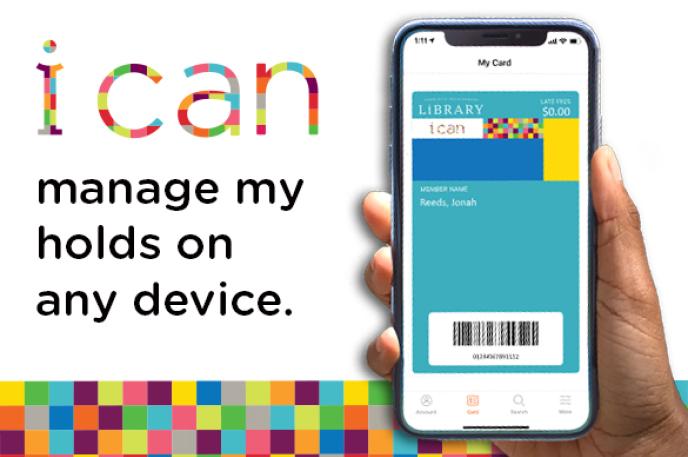
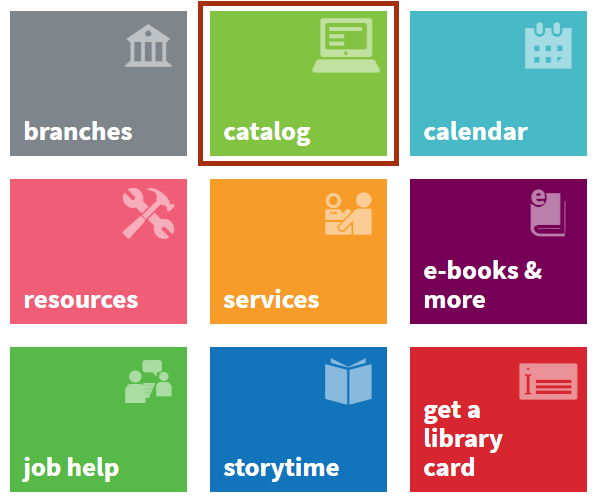
 1) Visit
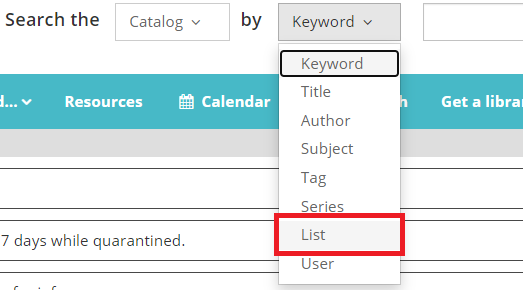
 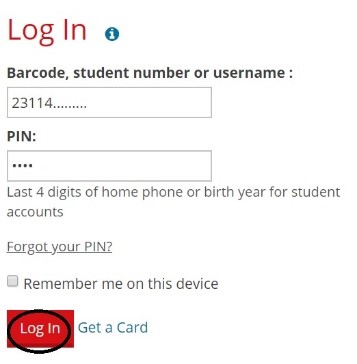 2) Enter your Library card number, ONE Access ID or username; then enter your PIN and click Log In. If you’ve never accessed your account through the Library’s website before, you will be asked to create a new account. Tip: When you create an account in Bibliocommons (the name for the Library’s catalog system), you will be asked to create a username. For future logins, you can use either your Library card number/ONE Access ID or the username you create.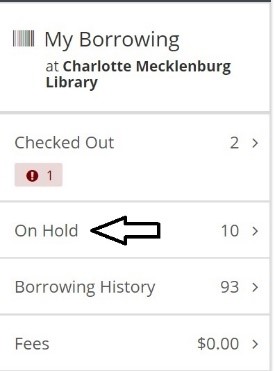
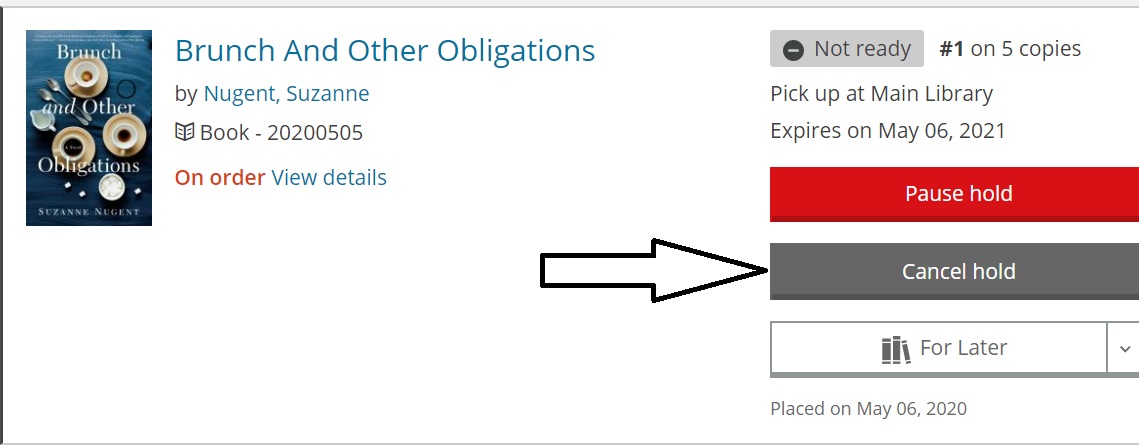 to cancel one hold, click the Cancel hold button next to the appropriate item.
 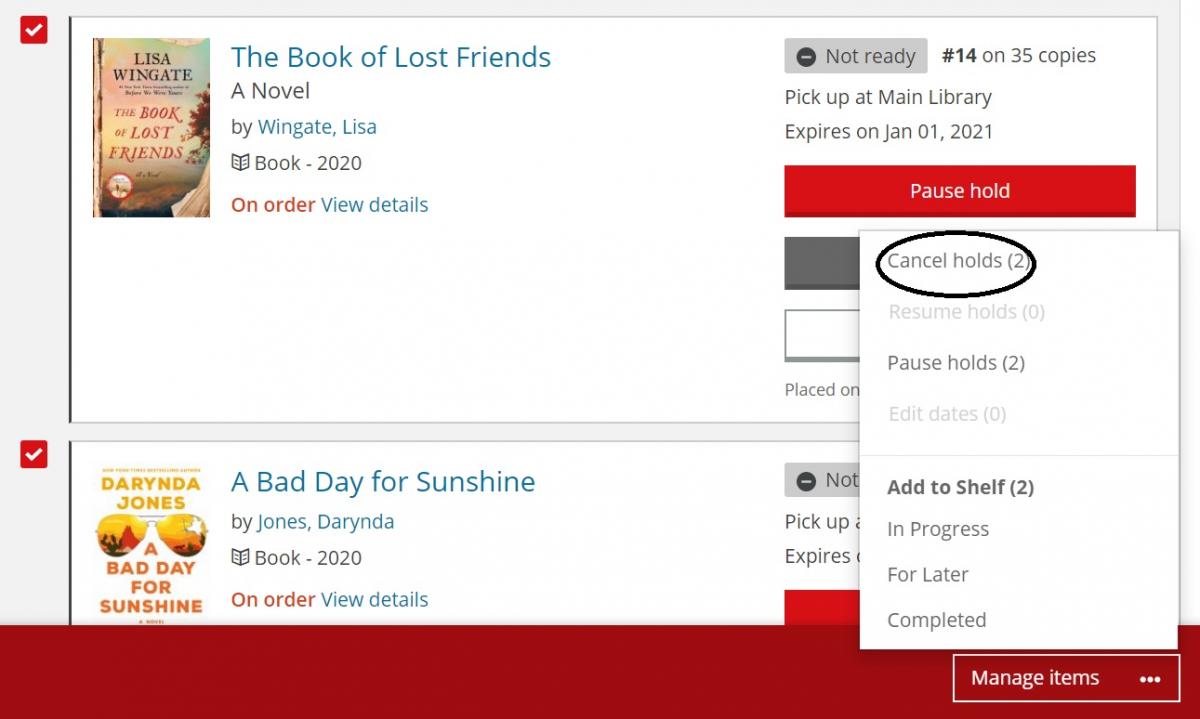 If you want to cancel multiple holds, check the box next to each of the items you want to cancel. You should see that a red box has appeared at the bottom of your screen. Click on Manage Items, then click on Cancel holds. The system will ask you to confirm that you do want to cancel those holds.
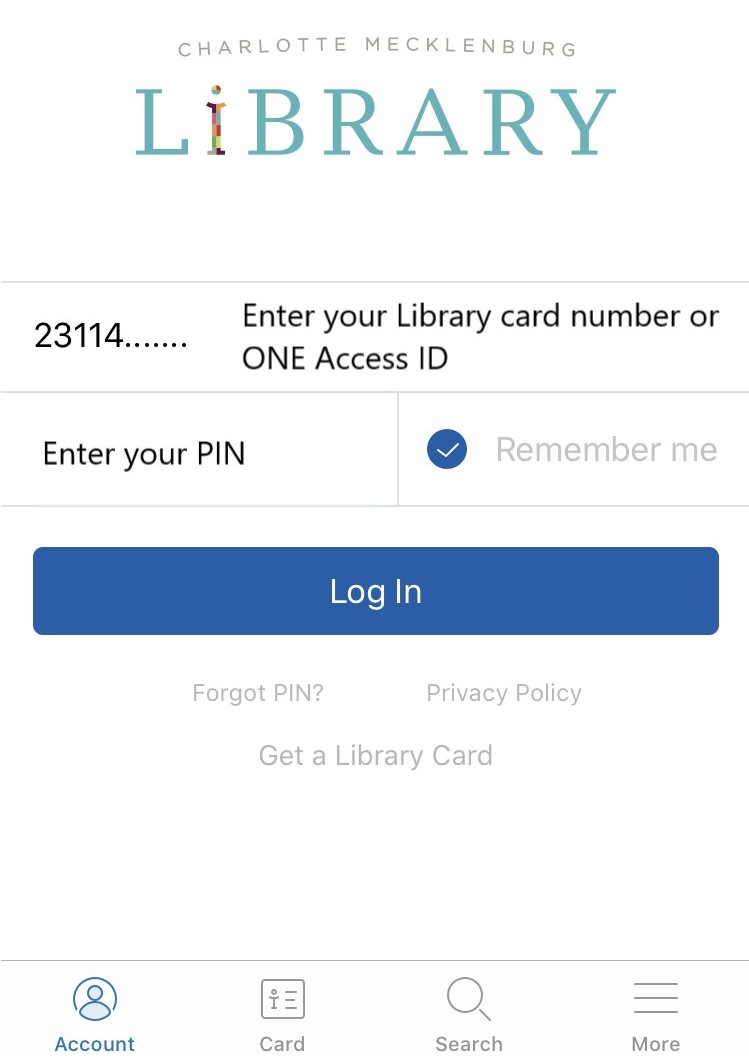 1) Log in to the mobile app using your Library card or ONE Access ID and your PIN.
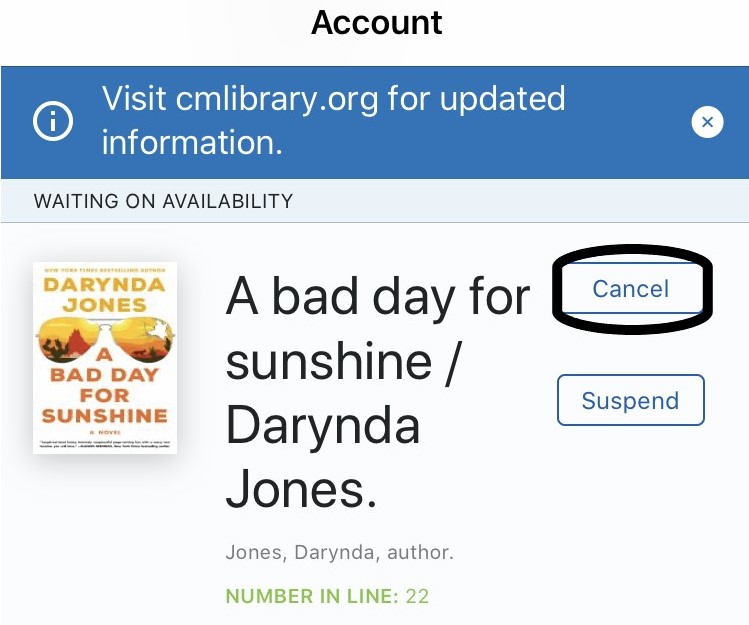 2) The items you currently have checked out will be listed first. Scroll down to the section titled Waiting on Availability. Press the Cancel button next to each item you want to cancel.
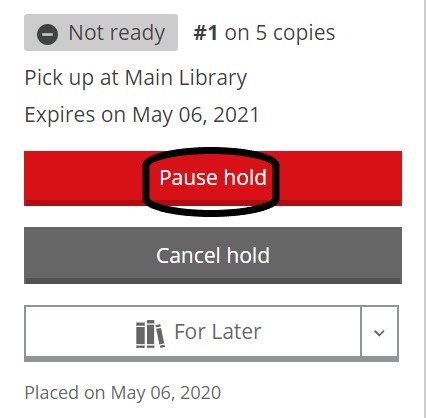 How to pause holds using the Library’s website on a PC, smartphone or tablet
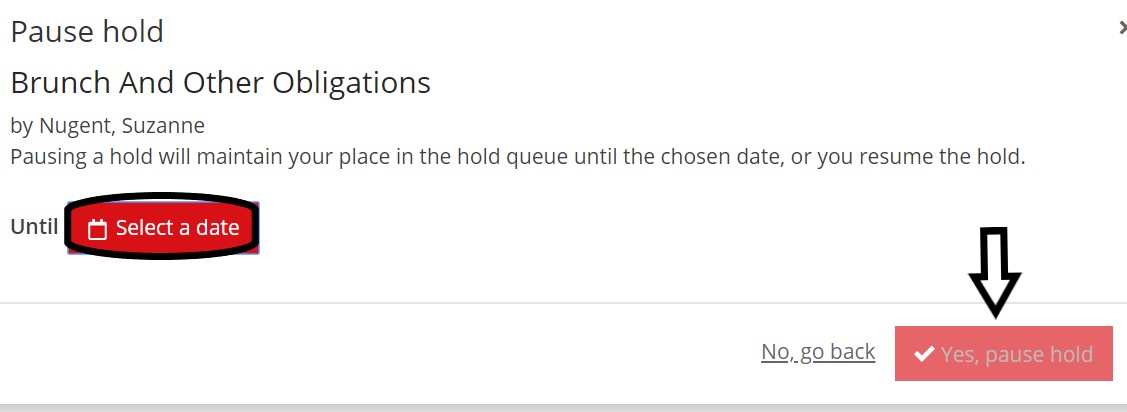 you can be assured that your hold will not come in until sometime after the date you choose.
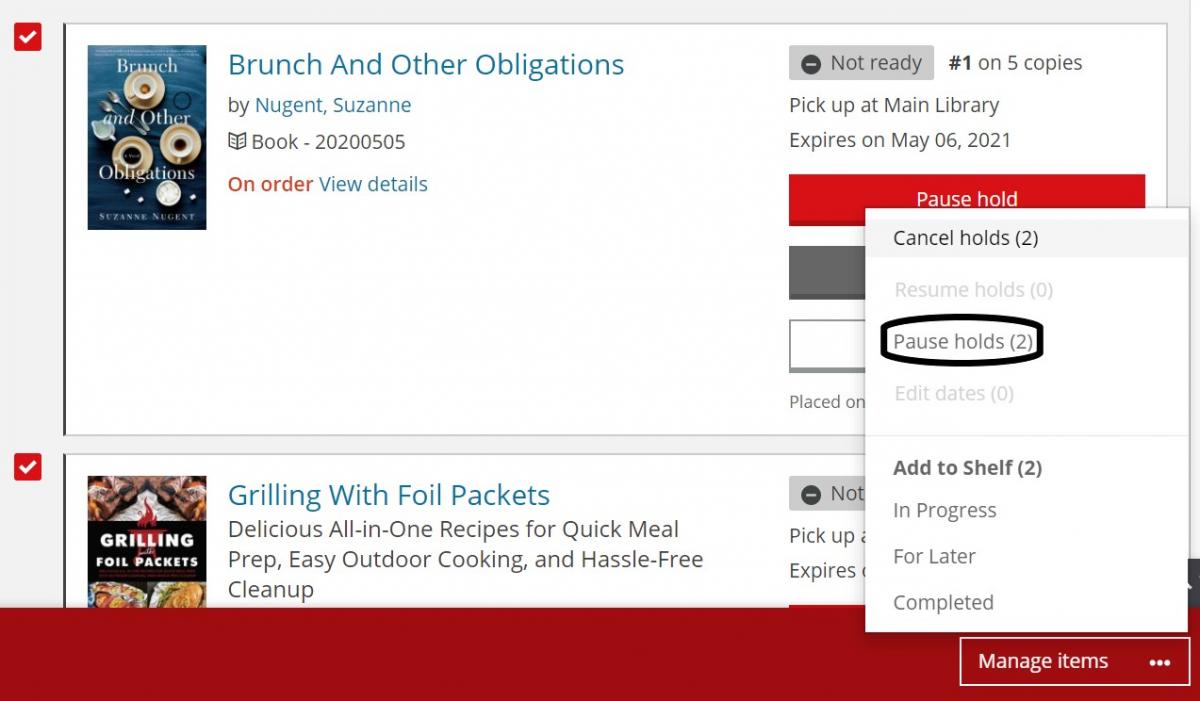 If you want to pause multiple holds using the same date, check the box next to each item you want to pause. You should see that a red box has appeared at the bottom of your screen. Click on Manage Items, then click on Pause holds. You’ll have the opportunity to Select a date from a calendar, then click on Yes, pause holds.
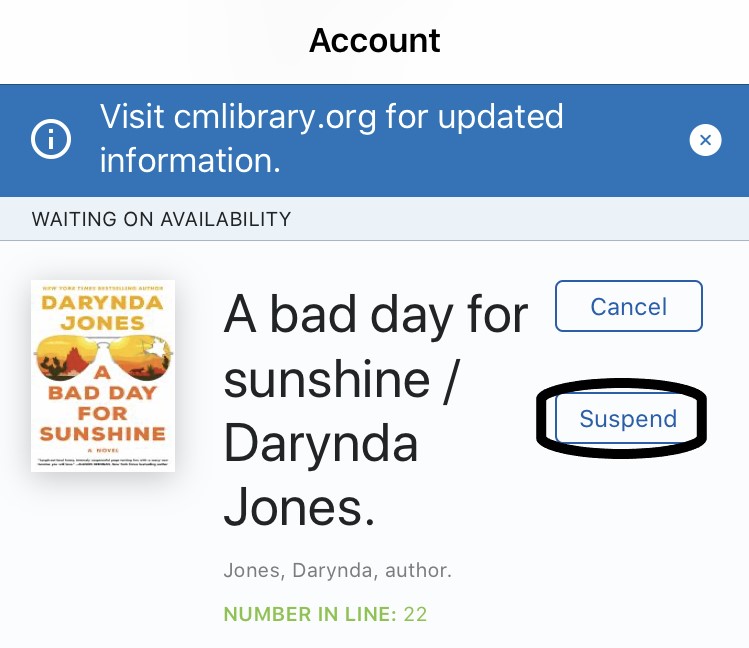 How to suspend holds using the CMLibrary mobile app
 Many of you may have noticed that you earned a “Giving Makes the World Go Round Badge.” Participants earn this badge when they reach 15 hours of reading in each Summer Break challenge.
 up prizes while supplies last.

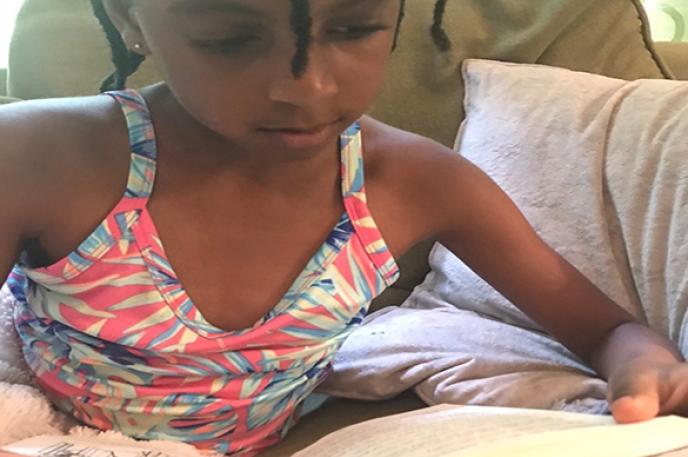
 A Charlotte native, psychologist for Charlotte-Mecklenburg Schools, wife and mother to two growing and glowing girls, Ella and Zora (a third grader and first grader, respectively), Tiffany recalls the impact the public library had on shaping her own love for reading while providing her access to an additional education. “The library has always been important to me,” said Howard. “I was excited to pick up books that I’d read while sitting under the cart while my mom did her grocery shopping,” she added.
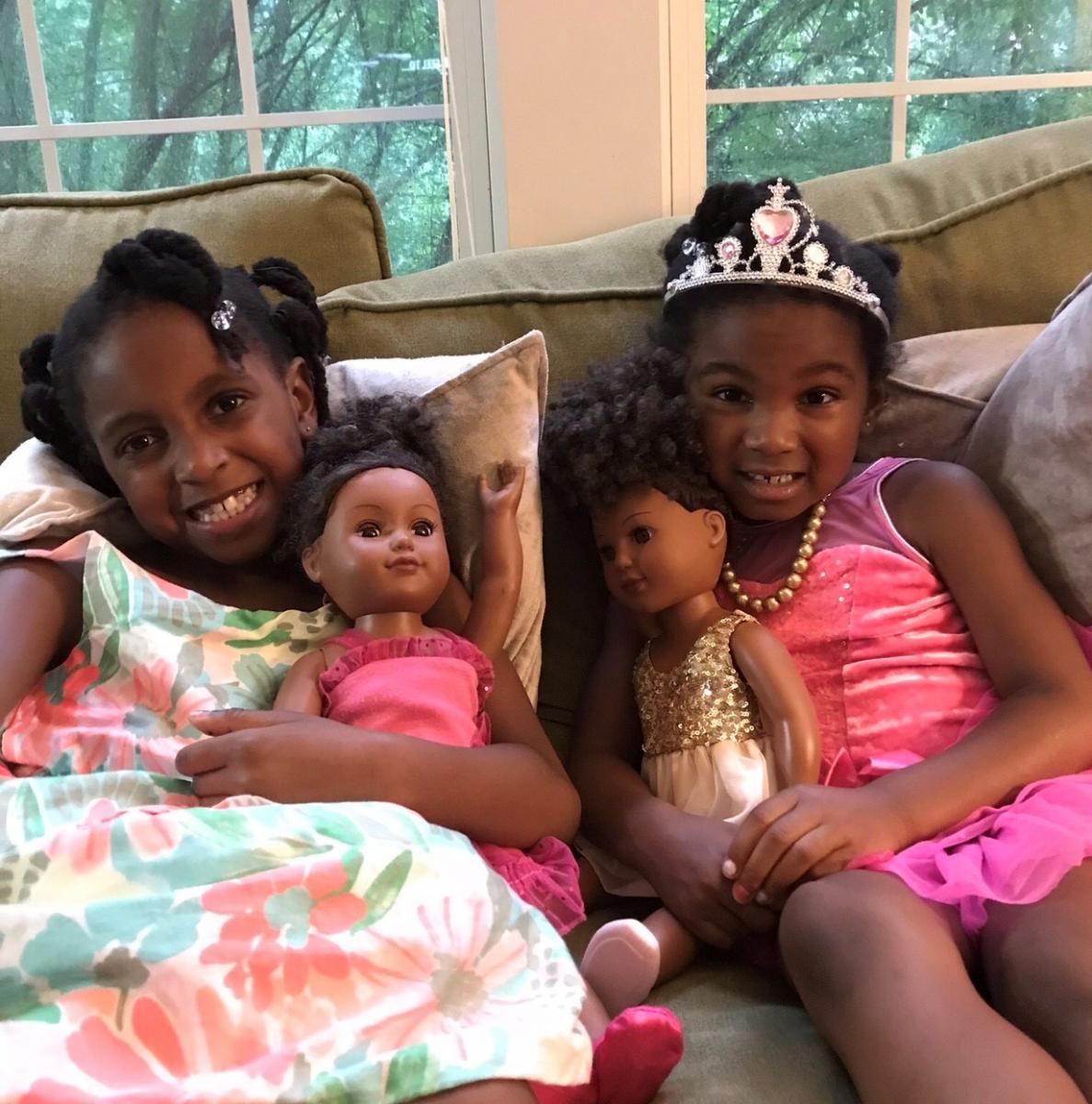 storytime, then we’d go afterschool to check out books,” she said. “Next, we moved to the Reading Buddies program in person and, now, online,” she added.
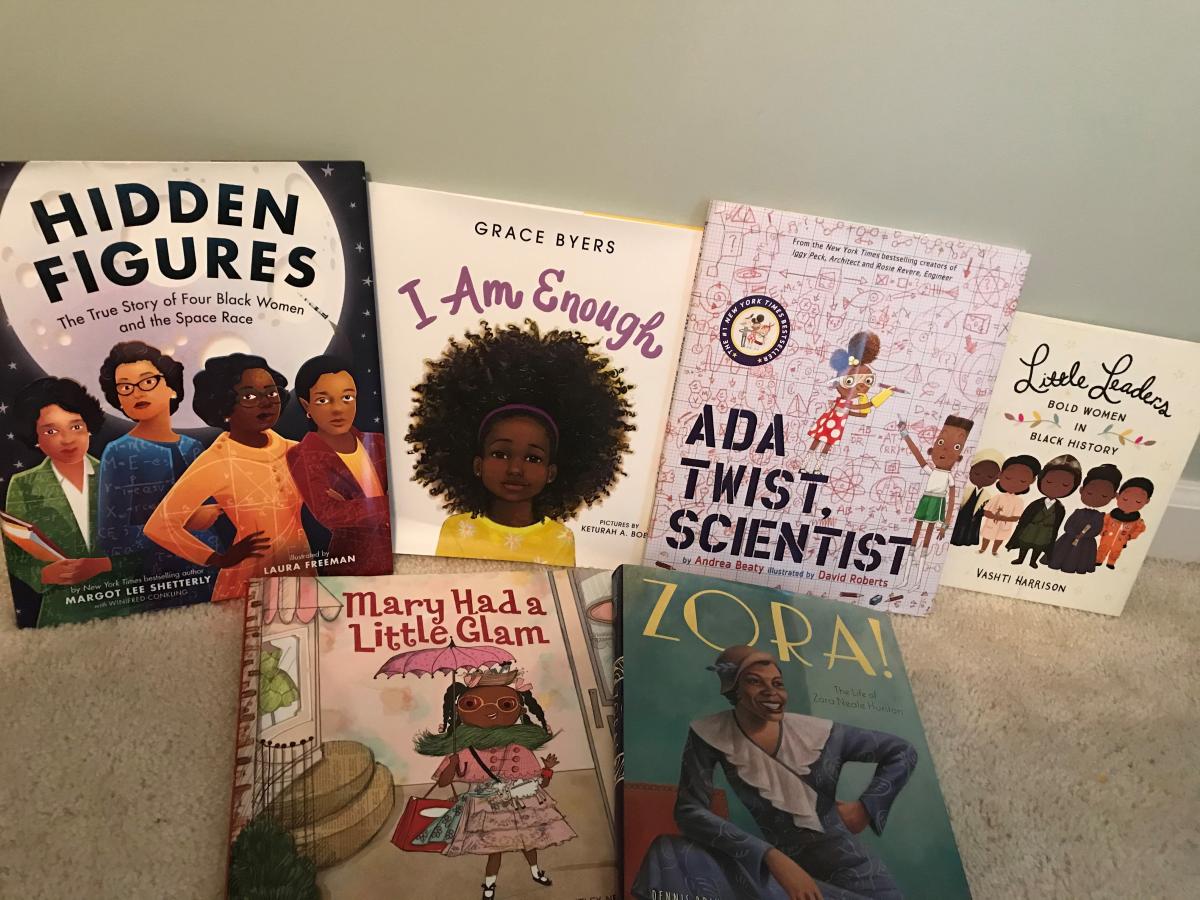 Tiffany describes her daughters as artsy and creative and believes one of the most important things she can leave them with is a passion for reading and a legacy of learning. “It feels good, as a parent and an educator, to know that even when school is out my girls want to go to the Library,” she said.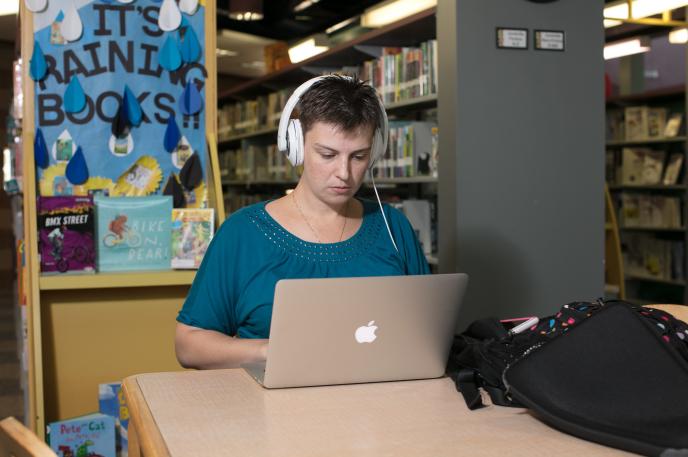



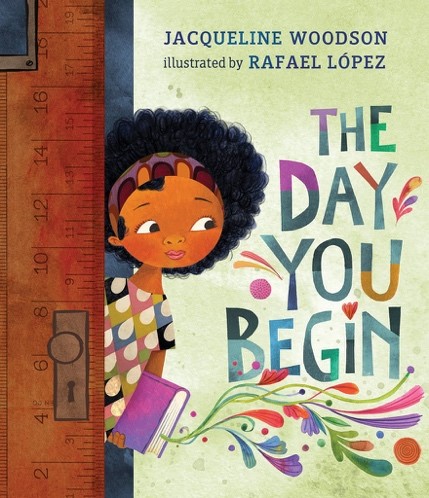 Preschool (Ages 3-7)
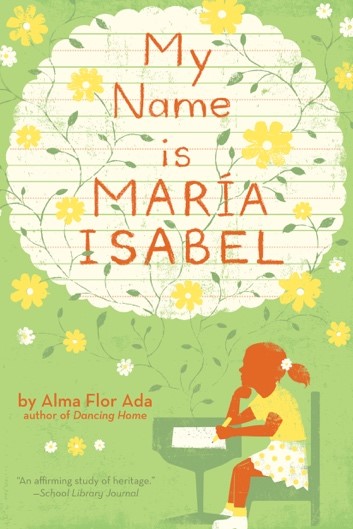 School Age (Ages 8-11)
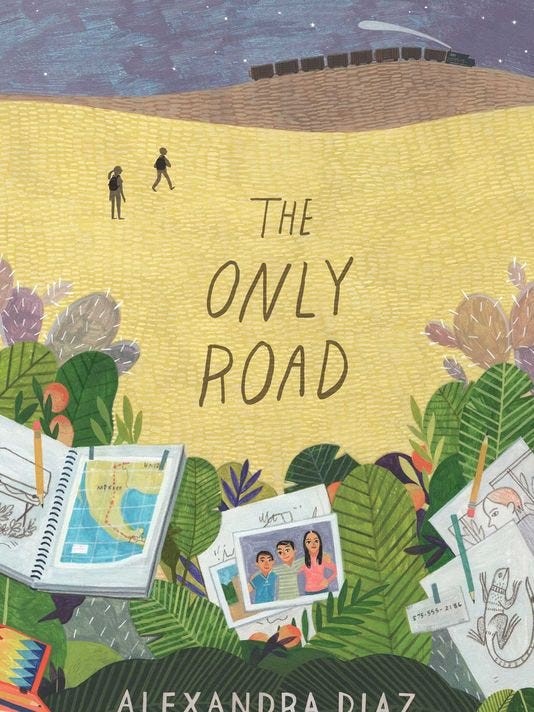 Teens (Ages 12-17)
 Adults (Ages 18 and up)