Wait time for new book arrivals may increase. Learn more

610 of 1133 results
Thumbnail
Celebrate the birthday of the Bard.

Celebrate the birthday of the Bard

April 13, 2021

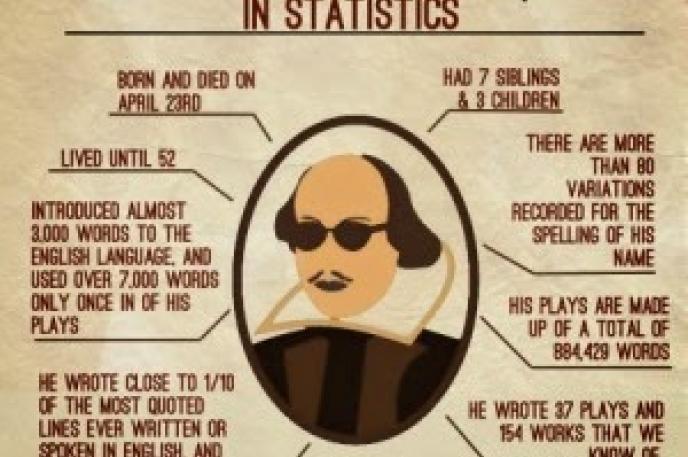
The scholastic information is William Shakespeare was born in April 1564 and died April 23, 1616. He did not grow up in a noble family but attended the local grammar school and was married at 18 before moving to London. There, he made a name for himself as an actor and then a playwright.

The extracurricular information is that nearly 500 years later, the Bard’s prolific work as poet and writer is still as relevant today as when first published. Very few authors or their works can transcend time or adapt to cultures, yet somehow his work does. With themes like love, death, ambition, power, fate and free will, along with his influence on language, Shakespeare’s works have become timeless. Some of the most popular words you may recognize that the Bard coined include bandit, critic, dauntless, dwindle, green-eyed (to describe jealousy), lackluster and swagger. In total, Shakespeare came up with 422 whole new words. Read them here. 

Watching one of his plays live onstage is a unique experience. Shakespeare in the Park in New York City’s Central Park was first conceptualized in 1954 and put on more than 100 plays and musicals since the Delacorte Theater was opened in 1962.

Shakespeare’s Globe based in London, which houses the Globe Theater along with the Sam Wanamaker Playhouse, welcomes more than 1.25 million visitors a year from all over the world (pre-COVID times). On May 20, 2021, the Theater is presenting a webinar for its Anti-racist Shakespeare series that focuses on A Mid-Summer Night’s Dream. The webinars enable as many audience members, theatre professionals, teachers and scholars as possible from all backgrounds to engage in this vital discussion. This event takes place on Zoom and is free, but you will need to register in advance to receive a link to attend the live webinar. The event is open to all and you do not need to be a ticket holder for a performance. Click here for more information.

Many of Shakespeare’s works have inspired other works of fiction. Romeo and Julie transformed into West Side Story in the 1960s. Hamlet has been made into many adaptations, including movies like OpheliaRosencrantz and Guildenstern are Dead and The Lion King.

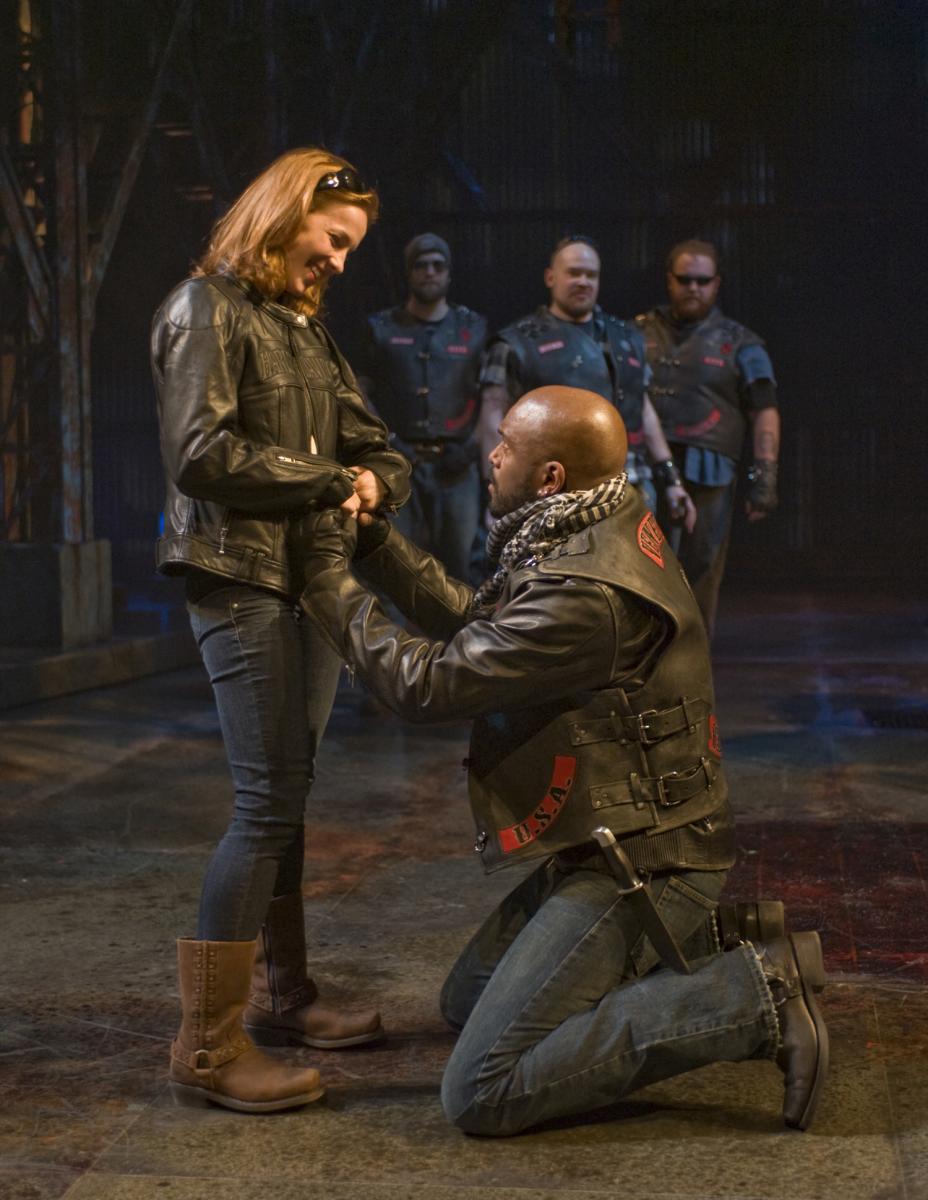
A few years ago, I attended the Milwaukee Repertory Theater’s production of Othello. It took the play out of Renaissance Venice and into the biker gang culture of contemporary times with gang-attire and an incessant rock beat bringing to life all the great dialogue. Framed as rival motorcycle gangs The Venetians and The Turks, it was, basically, Othello on a Harley with a love relationship between a white woman and a Black man. I remember watching enthralled, astonished and entranced that a play written in 1603 could resonate so clearly more than 400 years later. (Othello production photos courtesy of Milwaukee Repertory Theater.)

Shakespeare isn’t always for everyone, but his themes carry strong and bold through hundreds of years of change. If you take another look, you might see Shakespeare in a whole new light. 

Find reading lists here, curated by our own Library staff:

Shakespeare  - For All Ages

Shakespeare - All About the Bard


--

This blog was written by Ann Stawski, marketing & vommunications leader at Charlotte Mecklenburg Library.

Thumbnail
Learn the do's and don'ts of your resume with the Job Help Center

The do's and don'ts of your resume

April 14, 2021

A carefully crafted resume is an essential part of your job search. If you take the time to search the internet for resume tips, you will see thousands of hits on how to design a resume. However, there are no set rules for resumes, but below are some suggestions to make your resume more effective for your job search.


Do’s

Add POWER (action) words. Resumes are no longer lists of duties and responsibilities. They are a display of your impact in your previous roles. When listing experience on your resume, you should make sure that the accomplishments of previous jobs are highlighted and described in a way that piques the reader’s interest. Always start your sentence with a powerful word to dynamically describe your experience. The use of action words allows you to be more concise and provide instant information to hiring managers. Often hiring managers skim resumes, so it is recommended that you use active words instead of passive words.

Tailor your resume to the desired job. Though tailoring your resume for every job application is time-consuming, it shows the hiring manager that you have a genuine interest in the position. Dissect the job description -- pulling keywords and skills from the description into your resume to show that you are the right person for the position. You want to make it easy for your resume to be picked up by an Applicant Tracking System (ATS), which screens your resume before it reaches an actual person.

Find someone else to review your resume. Always have another set of eyes review your resume for spelling and grammatical errors. Having someone proofread your resume will allow them to spot the mistakes that you have missed. The worst thing that you can do is submit a resume that has typos. There are preconceived notions that hiring managers can and will make about you if your resume isn’t correctly proofread. If you don’t have a friend or colleague willing to review your resume, consider submitting it to the Job Help Center’s resume review service. Please email your resume to [email protected] and have one of our staff provide a review (expect 3 to 5 days for review). Plus, it’s completely free!

Don’ts

“References available upon request” should be removed from your resume. To apply for a job, you should have 2 to 3 references. References are people who will attest to your ability to perform tasks. However, you should not include them in your resume- keep them on hand to use when filling out a job application.

Take out the Objective. Instead of listing an “objective,” consider a qualifications summary section instead. Include a list of your skills or strengths to place at the top of your resume for a quick read of your resume. This will help you make better use of available space.

Remove your mailing address. The mailing address is a thing of the past for your resume. The employer will not be reaching out to you via snail mail about the job; it is more efficient to contact you via email or phone. So, remove your mailing address, but list your city and state. Save space and omit.

Don’t list any job older than 10 years. Have you been in the workforce for over 10 years? If so, any job older than 10 years or more can be excluded from your resume. A caveat to this is if you feel the experience is relevant to the job you are interested in, then feel free to add those critical skills to your qualifications section.

These are just a few of the tips that will make your resume more effective and bring you one step closer to getting your dream job. 


Looking for more advice and help as you search for your new career? Click here for the Library's Job Help Center's calendar.

--

This blog post was written by Job Help Center staff and updated by De’Trice Fox, librarian at the Main Library’s Job Help Center.

Thumbnail
Join the Library for an  "i can" read Black stories storytime program for Día.

Join the Library for an I Can read Black stories storytime program for Día

April 15, 2021

This blog was written as part of Charlotte Mecklenburg Library's Black Lives Matter program initiative. Learn more about the program and corresponding events here.

In June 2020, Charlotte Mecklenburg Library made a statement that “systemic racism and inequity have no place in our Library as we stand up for equity, access, inclusion, diversity and democracy.” Library staff has been working to find ways to support our community by creating opportunities to learn and dialogue with one another through Library programs and resources.   

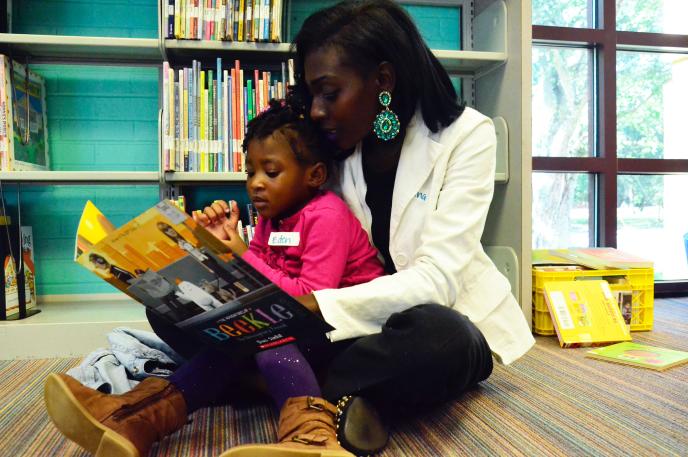
As part of the Library's commitment to Black Lives Matter programming, a new Storytime series, "i can Read Black Stories" launched on Saturday, January 2, 2021. The target audience for the weekly program is families with children between the ages 0-5. During Storytime diverse Library staff members read picture books that feature characters who are Black, African American or people of color. The stories, songs, and movement activities will support empathy and understanding of issues affecting the Black community and offer strategies to foster conversations on equity and inclusivity.

Some books like The Other Side by Jacqueline Woodson or Ruth and the Green Book by Alexander Ramsey Calvin have historical overtones, while others like Baby Goes to Market by Atinuke and Sonya’s Family by Elliot Riley feature “everyday diversity.” Books to affirm and empower, like I Am Every Good Thing by Derrick Barnes and I Am Enough by Grace Byers are also shared often.

Why read Black stories? Educator Rudine Sims Bishop, professor emerita at The Ohio State University, devoted her career to multicultural literacy. In her seminal work, Mirrors, Window, and Sliding Glass Doors she writes, “When children cannot find themselves reflected in the books they read, or when the images they see are distorted, negative, or laughable, they learn a powerful lesson about how they are devalued in the society of which they are a part.”

Of the 3,717 children’s books published in the United States in 2019, only 1,094 of them were about Black, Indigenous and/or Persons of Color (BIPOC). Data on books by and about Black, Indigenous and People of Color published for children and teens is compiled by the Cooperative Children’s Book Center, School of Education, University of Wisconsin-Madison. The Cooperative Children’s Book Center determines that a book is about characters of a specific ethnicity or racial identity if the main character is BIPOC or if a BIPOC character or real person is featured significantly in the book, even if the main character is white. If the main character is white and there are secondary characters of color who do not play a key role in the story, then a book is not considered to be about BIPOC.

Charlotte Mecklenburg Library celebrates Día during April. Día is a nationally recognized initiative that emphasizes the importance of literacy for all children from all backgrounds. It is a daily commitment to linking children and their families to diverse books, languages, and cultures. On Saturday, April 24 at 11 a.m., join the Children’s Services department for a special Día-themed I Can Read Black Stories program. The program which will be live streamed via the Facebook Page for ImaginOn: The Joe & Joan Martin Center. It will celebrate Afro-Hispanic and Afro-Latino authors and illustrators and Afro-Hispanic and Afro-Latino characters. To watch live Storytime programs visit the ImaginOn's Facebook page: https://www.facebook.com/ImaginOn/ and choose “LIVE” on the left-hand navigation list. There will be a red dot next to the word “LIVE” to indicate that Storytime is in session.

Learn more about the program here

Programs like Día and i can Read Black Stories help children to embrace diversity by accepting differences in others. Teaching children to accept differences when they are young helps them to have responsible, caring and positive social interactions when they are older. We hope that you will join us for these programs as we further our mission to improve lives and build a stronger community.

--

This blog was written by Alesha Lackey, children’s services manager at Allegra Westbrooks Regional Library.

Thumbnail
Book Club Kits for your Book Club at the Library

Book Club Kits Expand Offering

March 4, 2020

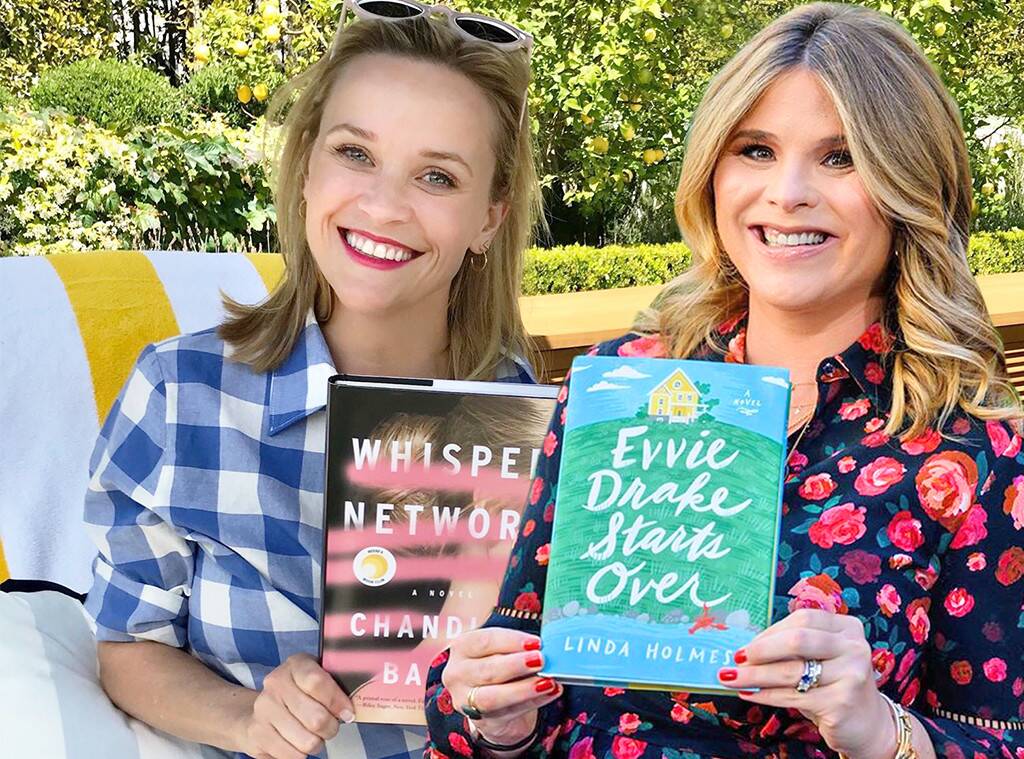
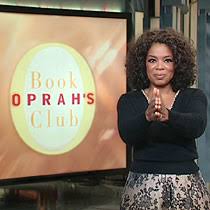
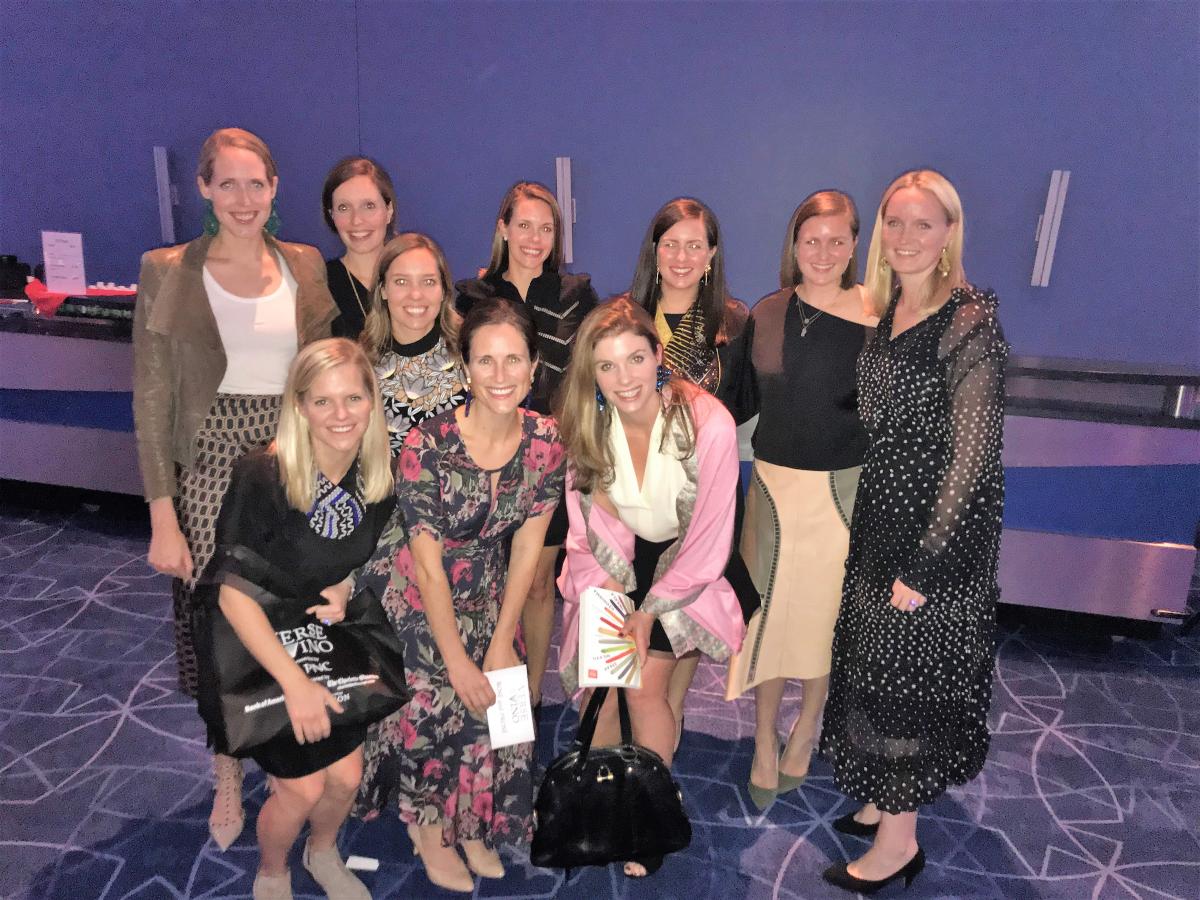
Even in today’s internet-led world, book clubs are still as popular as ever. Celebrities like Oprah Winfrey, Reese Witherspoon and Jenna Bush Hager curate their own book club titles. At the Charlotte Mecklenburg Library Foundation’s annual Verse & Vino, tables sell out fast and are filled by Book Club members – a testament that avid readers are looking not only for a great title, but also for a great experience.

How can the Library help your book club?


For starters, we have the books. LOTS OF Books. Nearly 200 titles are available in our book club kits.

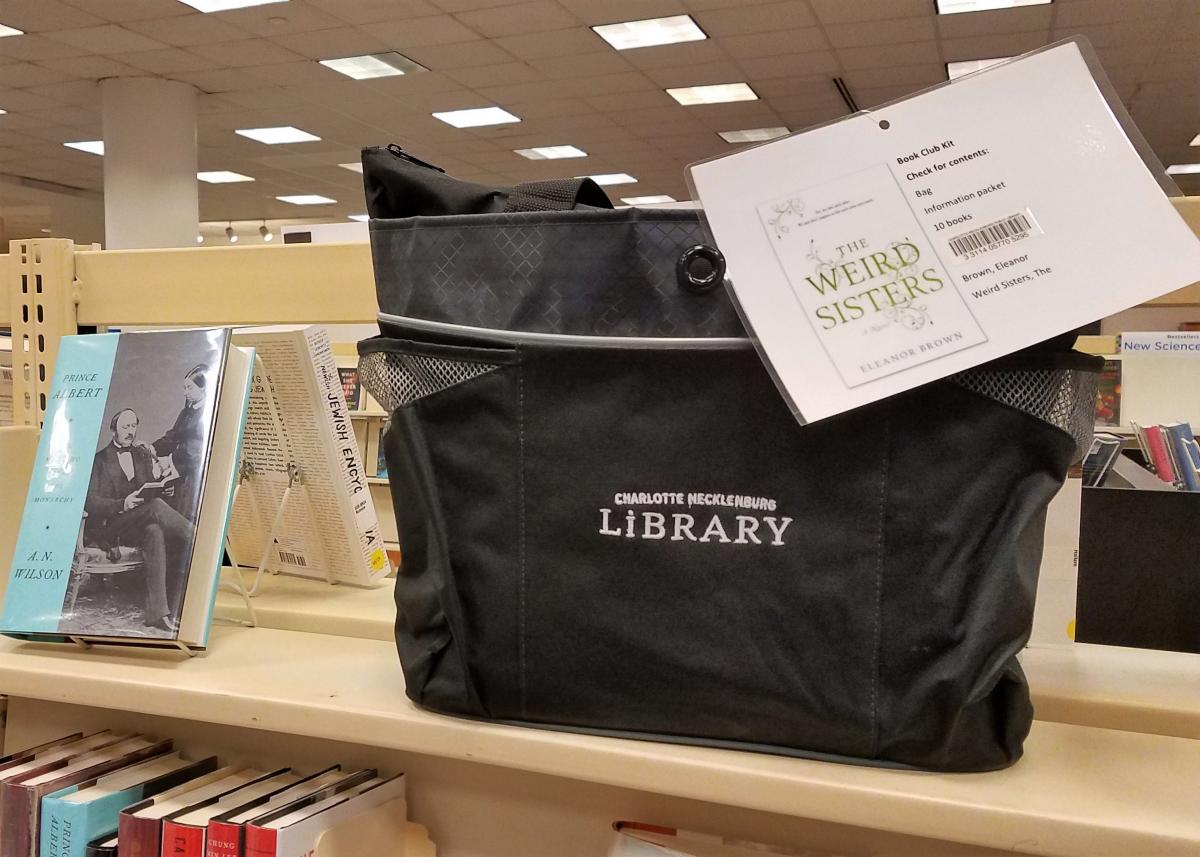
What’s a book club kit? Charlotte Mecklenburg Library has plenty of book club kits available to check out for six weeks. Each kit has 10 copies of the book (paperback), an author biography and discussion questions, which are all conveniently packaged in a Library tote bag. Reserve your kit online or call Gina DeLisle, book club kit coordinator, at 704-416-0303.  Here's a link to the newest additions. If you can’t decide on a book, pick one from Gina’s lists or one of Oprah's Favorite Books


Where are the book club kits?

Book club kits are on display on the main floor at Main Library in Uptown. If a book club kit isn't on reserve, you can take it directly from the shelf and check it out.

The best way to ensure your book title choice is available, is to go on-line to reserve your kit.  On line you can see all the titles and also when kits are available. The kit will be delivered to the branch location you specify and typically takes three days to deliver.


How much does this cost?

What if you don’t have the funds to buy all these books new? Book club kits are FREE! Book clubbers on a budget will love checking out the book club kit from the Library.

Need a list of discussion questions for your book?

Don’t let your group get off the subject! Visit our valuable resource NoveList Plus for ready-made discussion questions to get your talk off to a good start. Check out the handy user tutorial on getting started.  

Let us do the work.

Short on time? Or maybe you're looking to join an existing book club. If so, let our expert staff do the planning and join one of our Library book clubs! Book clubs are offered at branch locations all through the County. New members are always welcome.  We’ve listed a few here, but check out our book club calendar to see them all. 

Book clubs, whether in your home or here at Charlotte Mecklenburg Library, are ways to empower your community and embrace diverse ideas. 

Thumbnail
Information on Coronavirus Diseas 2019 (COVID-19)

Information on Coronavirus Disease 2019 (COVID-19)

March 5, 2020

Desplácese hacia abajo para ver la versión en español

Mecklenburg County Public Health is working with the North Carolina Department of Health and Human Services (NCDHHS), the Centers for Disease Control (CDC), other local health departments and health care providers as well as community partners including Charlotte Douglas International Airport and the Charlotte-Mecklenburg Emergency Management Office (CMEMO) to prepare for any future potential cases in the County and in the State. At present, the majority of cases have been diagnosed in people who live in or have traveled to Wuhan, China. Currently, the risk for infection locally is low; however, usual prevention methods are recommended to prevent any further infections.

By now you’ve probably had conversations with coworkers, family, neighbors and acquaintances in the community regarding the risk, whether you should be concerned and what you should do. Here is some information that might be helpful to you and them (this information is also available on the County website and will be updated regularly.

Travelers who develop a fever or respiratory symptoms, including cough and difficulty breathing, within two weeks of leaving should contact their doctor right away and should call ahead before going to the clinic, urgent care or emergency room so appropriate steps can be taken to avoid exposing others.

At this time of year, respiratory illnesses in people in North Carolina are most likely due to infection with influenza or viruses that cause the common cold. People should take precautions to protect themselves from these infections, including practicing good handwashing, covering coughs and sneezes, avoiding touching your face, staying home when you are sick and getting your annual flu shot.

As you talk with your coworkers, friends and families about things you can do to protect yourself from respiratory infections like flu and COVID-19, here are a few suggestions:
  • practicing good handwashing,
  • covering coughs and sneezes,
  • avoiding touching your face,
  • staying home when you are sick and
  • getting your annual flu shot.
 

If you would like more information, here are several websites that will be updated regularly:

Find resources on COVID-19 in other languages here/encuentra recursos en COVID-19 en otros idiomas aquí:
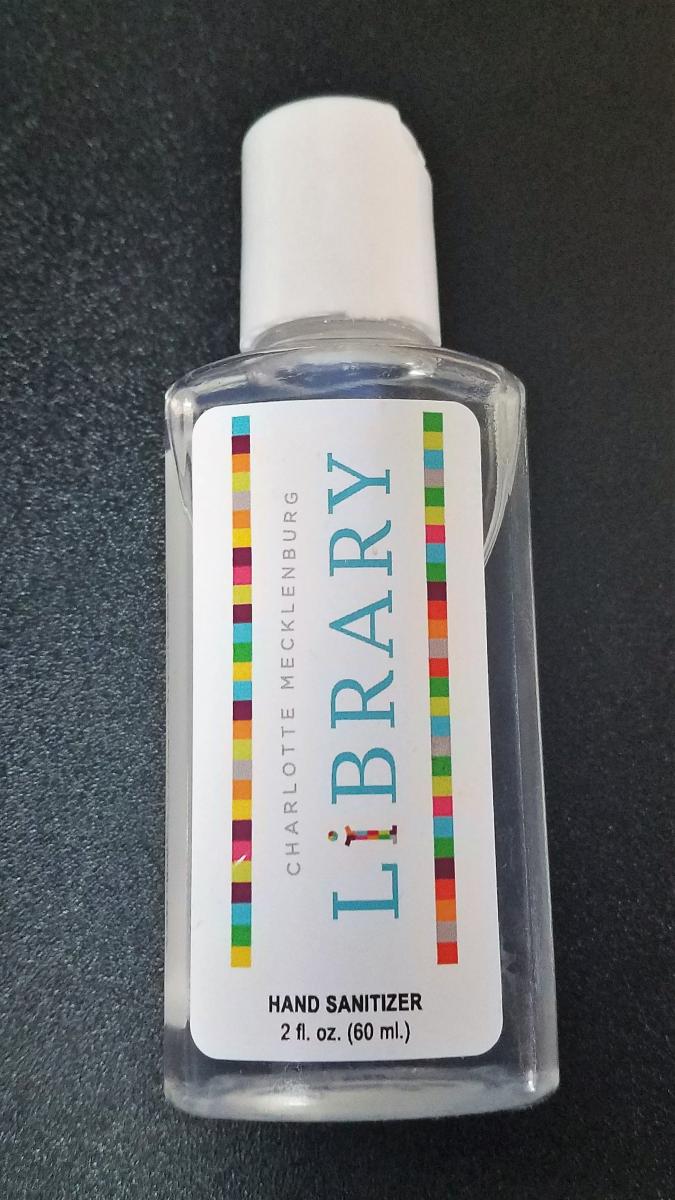
 

If you're interested in making hand sanitizer, click here for a link to a homemade recipe.


Coronavirus COVID-19: Links You Can Trust

Coronavirus COVID-19 has been the subject of many recent news and social media reports. With the increase of fake and unreliable news, we suggest going to the following trusted sources to learn more about this topic.

World Health Organization (WHO)

The World Health Organization (WHO) is a trusted, authoritative source for public health information. The WHO announced the official name for the disease that is causing the 2020 outbreak of coronavirus disease: COVID-19.

  • Coronavirus (health topic)

    This landing page for the Coronaviruses family of viruses includes background, select news on the outbreak, and links to Questions and Answers on Coronaviruses.
  • Advice for the Public

    This WHO page on Coronavirus disease (COVID-19) has practical information for dealing with the outbreak on a personal level. The page includes video, graphics, myth-busters, and even tips for coping with related stress.

General Information and prevention

MedlinePlus

MedlinePlus offers up-to-date information in language you can understand. MedlinePlus is a service of the National Library of Medicine (NLM), the world's largest medical library, which is part of the National Institutes of Health (NIH).

Associated Press

The Associated Press (AP) is a not-for-profit news cooperative that is widely considered the least biased reporting in the U.S.

Johns Hopkins University

  • Coronavirus COVID-19 Mapping by Johns Hopkins CSSE

    The Center for Systems Science and Engineering (CSSE) at Johns Hopkins University is mapping the number of global cases, deaths, and recoveries from COVID-19. The data is updated throughout the day.


Información sobre la enfermedad por coronavirus 2019 (COVID-19)

El Departamento de Salud Pública del Condado de Mecklenburg está trabajando con el Departamento de Salud y Servicios Humanos de Carolina del Norte (NCDHHS por sus siglas en inglés), los Centros para el Control de Enfermedades (CDC por sus siglas en inglés), otros departamentos de salud locales y proveedores de atención médica, así como con socios de la comunidad, incluyendo el Aeropuerto Internacional Charlotte Douglas y la Oficina de Manejo de Emergencias de Charlotte-Mecklenburg (CMEMO por sus siglas en inglés) para prepararse para casos potenciales futuros en el Condado y en el Estado. En la actualidad, la mayoría de los casos se han diagnosticado en personas que viven o han viajado a Wuhan, China. Actualmente, el riesgo de infección local es bajo; sin embargo, se recomiendan los métodos de prevención habituales para prevenir futuras infecciones.

Probablemente ya haya tenido conversaciones con compañeros de trabajo, familiares, vecinos y conocidos de la comunidad sobre el riesgo, si debe preocuparse y qué debe hacer. Aquí encontrará información que puede ser útil para usted y para ellos (esta información también está disponible en el sitio web del Condado y se actualizará periódicamente).

Los viajeros que desarrollan fiebre o síntomas respiratorios, los cuales incluyen tos y dificultad para respirar, dentro de las dos semanas posteriores a la partida, deben comunicarse con su médico de inmediato y deben llamar con anticipación antes de ir a la clínica, atención de urgencia o sala de emergencias para que se puedan tomar las medidas adecuadas para evitar la exposición a otros.

En esta época del año, las enfermedades respiratorias en las personas en Carolina del Norte probablemente se deben a una infección con influenza o virus que causan el resfriado común. Las personas deben tomar precauciones para protegerse de estas infecciones, como practicar un buen lavado de manos, cubrirse la tos y los estornudos, evitar tocarse la cara, quedarse en casa cuando esté enfermo y recibir la vacuna anual contra la gripe.

Mientras habla con sus compañeros de trabajo, amigos y familiares sobre las cosas que puede hacer para protegerse de las infecciones respiratorias como la gripe y COVID-19, aquí hay algunas sugerencias:

• practicar un buen lavado de manos,

• cubrir toses y estornudos,

• evitar tocarse la cara,

• quedarse en casa cuando esté enfermo y

• recibir su vacuna anual contra la gripe.


Si desea obtener más información, aquí hay varios sitios web que se actualizarán periódicamente:

Encuentre recursos sobre COVID-19 en otros idiomas aquí:


Si está interesado en hacer desinfectante para manos, haga clic aquí para obtener un enlace a una receta casera.


Coronavirus COVID-19: enlaces en los que puede confiar

El coronavirus COVID-19 ha sido un tema publicado en muchas noticias recientes e informes de redes sociales. Con el aumento de noticias falsas y poco confiables, sugerimos ir a las siguientes fuentes confiables para obtener más información sobre este tema.

Organización Mundial de la Salud (OMS)

La Organización Mundial de la Salud (OMS) es una fuente confiable y autorizada de información de salud pública. La OMS anunció el nombre oficial de la enfermedad que está causando el brote de la enfermedad por coronavirus en el 2020: COVID-19.

Información general y prevención

MedlinePlus

MedlinePlus ofrece información actualizada que es fácil de entender. MedlinePlus es un servicio de la Biblioteca Nacional de Medicina (NLM por sus siglas en inglés), la biblioteca médica más grande del mundo, que forma parte de los Institutos Nacionales de Salud (NIH por sus siglas en inglés).

Associated Press

Associated Press (AP) es una cooperativa de noticias sin fines de lucro que es ampliamente considerada como la información menos sesgada en los Estados Unidos.

  • Noticias del AP

    Se cubren temas como la respuesta al brote del gobierno y las empresas.

Universidad de Johns Hopkins

  • Mapeo de coronavirus COVID-19 por Johns Hopkins CSSE

    El Centro de Ciencia e Ingeniería de Sistemas (CSSE por sus siglas en inglés) de la Universidad de Johns Hopkins está mapeando el número de casos, muertes y recuperaciones globales de COVID-19. Los datos se actualizan a lo largo del día. Está página solo está disponible en inglés.
Thumbnail
The Charlotte Mecklenburg Library offers a list of digital resources accessible for free during COVID-19 pandemic and Library closure.

Digital resources at your fingertips

March 16, 2020

Desplácese hacia abajo para ver la versión en español

Your Library’s mission is to improve lives and build a stronger community. Access to resources is important – even while practicing social distancing (limiting physical closeness to others to reduce the risk of exposure to disease). With recommendations to stay home and avoid crowds, this is a perfect opportunity to explore the world of e-books, e-audiobooks, movies, music, newspapers, magazines and more resources you can access for FREE, from anywhere, with your Library card.

Don’t have a Library card? Sign-up for one now.

Stay well and stay engaged with digital resources you can access today:*
 

E-books & More
freegal
hoopla (10 checkouts)
Kanopy (10 checkouts)
Kanopy Kids (unlimited checkouts)
NC Kids Digital Library 
OverDrive/libby
(20 checkouts)
      Looking for titles on OverDrive that are always available? Click here.
RBdigital magazines  (unlimited checkouts)

Keep up with the news
Charlotte Observer
New York Times  
New York Times - Digital Solutions
Wall Street Journal  
Value Line  

Learn a skill at home
lynda.com
Mango Languages
Universal Class

Storytime
Find storytime videos at our Digital Branch!

Additional resources
Need help navigating Library resources? Click the green flag labeled “Resource Tutorials” to the right of the Resources: A-Z page to access our Niche Academy tutorial videos.

Wi-Fi remains available at all Library locations. Wi-Fi signal will be extended at each branch to reach the perimeter of the facility.

Questions? We can help you. Online chat is available Monday-Friday from 9 a.m-9 p.m. Click "Ask a Librarian" on the cmlibray.org website.

Need a Charlotte Mecklenburg Library card? Sign-up for a Library card here.

Access Federal Depository Library Program (FDLP) resources for librarians and patrons here.
 

*For your convenience, this list will be updated periodically. (Last updated Friday, April 20, 2020 at 2:54 p.m.)


Recursos digitales a su alcance

La misión de su biblioteca es mejorar vidas y construir una comunidad más fuerte. El acceso a los recursos es importante, incluso mientras se practica el distanciamiento social (limitar la cercanía física con los demás para reducir el riesgo de exposición a enfermedades). Debido a las recomendaciones para quedarse en casa y evitar multitudes, esta es una oportunidad perfecta para explorar el mundo de los libros electrónicos, audiolibros electrónicos, películas, música, periódicos, revistas y más recursos. Usted puede accederlos GRATIS, desde cualquier lugar, con su tarjeta de la biblioteca.

¿No tiene una tarjeta de la biblioteca? Inscríbase ahora.

Por favor cuídese y utilice los recursos digitales disponibles: *


Libros electrónicos y más

freegal

hoopla (10 préstamos)

Kanopy  (10 préstamos)

Kanopy Kids (préstamos ilimitados)

NC Kids Digital Library 

OverDrive/libby (20 préstamos disponibles ahora)
      ¿Busca títulos en OverDrive que siempre estén disponibles? Haga clic aquí

Revistas RBdigital  (préstamos ilimitados disponibles ahora)

Manténgase al tanto de las novedades

Charlotte Observer
New York Times  
New York Times - Digital Solutions
Wall Street Journal  
Value Line  

Aprenda algo nuevo en casa
lynda.com
Mango Languages
Universal Class

Tiempo de cuentos

¡Encuentre videos de cuentos en nuestra sucursal digital!

Recursos adicionales

¿Necesita ayuda para navegar los recursos de la biblioteca? Haga clic en la bandera verde con la etiqueta "Resource Tutorials” (“Tutoriales de recursos") a la derecha de la página de Recursos: A-Z para acceder a nuestros videos tutoriales de la Academia Niche.

Wi-Fi permanece disponible en todas las sucursales de la biblioteca. La señal de Wi-Fi se extenderá en cada sucursal para alcanzar el perímetro de la ubicación.

¿Tiene preguntas? Le podemos ayudar. El chat en línea está disponible de lunes a viernes de 9 a.m. a 9 p.m. Haga clic en “Ask a Librarian” ("Pregunte a un bibliotecario") en la parte inferior del sitio web cmlibrary.org.

¿Necesita una tarjeta de la Biblioteca de Charlotte Mecklenburg? Inscríbase para obtener una tarjeta de la biblioteca aquí.

Acceda a los recursos del Programa de la Biblioteca Federal de Depósito (FDLP por sus siglas en inglés) para los bibliotecarios y los usuarios aquí.

 * Para su comodidad, esta lista se actualizará periódicamente. (Última actualización el viernes 20 de abril del 2020 a las 2:54 p.m.)

Thumbnail
Need help navigating the Charlotte Mecklenburg Library digital resources?

Need help navigating Library digital resources?

March 23, 2020

Feeling a little overwhelmed by the vast collection of digital resources the Charlotte Mecklenburg Library offers for free? Not sure how to use them or if you have the right equipment to access them? Below is an easy step-by-step guide on some of our most popular digital resources, online tutorials, and e-books and how you can access them with your Library card. Don’t have a Library card? Sign up for one here and gain immediate access.

(Apps are in alphabetical order)

Freegal Music – desktop and mobile app

Freegal gives you access to tons of songs, music videos, and audiobooks.

Desktop:

  1. To get started with Freegal using a computer web browser, click here.
  2. Once you are on the Freegal site, click “log in."
  3. Enter your Charlotte Mecklenburg Library card information, and then click “log in."
  4. When you are logged in, the home page will show featured content.  If you want to listen to something specific, enter the keyword in the search bar at the top of the screen.  If you’d rather explore, click the browse tab. 
  5. There are two ways to listen to music: downloading and streaming. Charlotte Mecklenburg Library customers get 5 free downloads (songs are 1 download and videos are 2) and 5 hours of streaming each week. Once downloaded, the songs or videos are yours to keep.
  6. If you want to add a song to a playlist, click the add-to-list button and select either create playlist or select a playlist you have already created.

Mobile app:

  1. Mobile customers can download the Freegal app for iOS from the Apple App store and on Android from the Google Play store.
  2. When you first open the app, Freegal will ask to access your location. Tap allow or don’t allow to continue. If you choose not to allow access, enter your zip code and then tap the continue button.
  3. A list of libraries will appear. Select Charlotte Mecklenburg Library.
  4. Enter your Charlotte Mecklenburg Library card number and pin.
  5. You are now ready to use Freegal. You will start on the home tab, which shows featured songs and artists.  If you want to search for a particular song by an artist, tap the search tab. If you want to look around, tap the browse tab.
  6. You can save the file for later, download and add it to a streaming playlist or wishlist.
  7. Your wishlist is found in the home tab and your downloaded files and playlists are found in the “my music” tab.


Hoopla – desktop, mobile app and Kindle Fire

Hoopla is a digital media service that offers tons of titles, including e-audiobooks, movies, e-books, television shows, music albums, and comics

Desktop:

  1. To get started using hoopla on your computer browser, click here.
  2. If you already have an account, enter your email address and password, and click the “log in” button.  If you don’t have an account, click the “get started” button in the center of the screen.
  3. In the box that pops up, click choose your local library and select Charlotte Mecklenburg Library.
  4. Enter your Charlotte Mecklenburg Library card number, your email address and password.
  5. You can now use hoopla. You will start on the home page, which shows all the titles you currently have borrowed and recently returned. To personalize your hoopla experience, click settings.
  6. Here you can choose the notifications you want to receive from hoopla, turn on or off kids mode and show or hide your borrowing history. You can also click the select button to the right of recommendations and click the genres that interest you for each type of media.
  7. To find a title, you can enter a term in the search bar and limit your search to a type of media when you click the dropdown menu in the search bar and select a media type.
  8. When you have found a title that interests you, hover over the title. You can click the borrow button to immediately check out the title or click the button to add it to your favorites. For more information, click the picture.

Mobile app:

  1. To access hoopla on your Android device, download the hoopla digital app from the Google Play store. To access hoopla on your iOS device, download the hoopla digital app from the Apple App Store.
  2. If you already have an account, enter your email address and password, and tap the “log in” button.  If you need to create an account, tap “sign up”.
  3. When creating an account, tap or search for Charlotte Mecklenburg Library.
  4. Enter your email address, a password and your Charlotte Mecklenburg Library card number.  Tap the “sign up” button.
  5. You are now able to use hoopla. The home tab will be the first page you see. Charlotte Mecklenburg Library customers are allowed 10 checkouts per month.
  6. Tap type of media to browse its available titles. Scroll to the bottom of the page to select specific genres.
  7. When you select a title to borrow, the borrow button will change to play for videos, e-audiobooks and music or will change to read for e-books and comics. Tap the "play" or "read" button to enjoy your title.
  8. If you are coming back to a title you have already started, tap the resume bar in the middle of the page.
  9. To access hoopla’s settings, tap the three-dot icon and select "settings."

Kindle Fire:

  1. To use hoopla on your Kindle Fire, download the hoopla digital app from the App store.
  2. If you already have an account, enter your email address and password, then tap the "log in" button. If you need to create an account, tap "sign up".
  3. To sign up, enter your email address and password. Tap or search for Charlotte Mecklenburg Library. Enter your Charlotte Mecklenburg Library card number.
  4. With your account created, tap “sign up” to agree to the terms and conditions.
  5. You are now able to use hoopla on your Kindle Fire.
  6. Tap “let’s go” to start exploring titles.
  7. If you chose to borrow a title, the borrow button will change to play for videos, e-audiobooks, and music or read for e-books and comics. Tap the "play" or "read" button to start enjoying your new title. To see a full list of titles you have borrowed, tap the "borrowed" tab on the home screen. If you are coming back to a title you have already opened, tap the "resume bar" in the middle of the picture.


Kanopydesktop and mobile app

Kanopy is a streaming service with access to thousands of films, documentaries, and television shows. It includes selections from the Criterion Collection, the Great Courses, film festival winners, independent directors, and much more. 

Desktop:

  1. Click here for the kanopy site.
  2. Once on the kanopy login page, click "add library card."
  3. Enter your Charlotte Mecklenburg Library card information and click continue.
  4. To create your account, enter your first and last name and your email account.  You will need to create a password. Click "sign up."
  5. You will need to verify your email address before you can enjoy movies. Sign into your email account, select the email from kanopy.com and click the "verify email" button. Kanopy will return you to the homepage.
  6. To search for a film, enter your search terms in the search box and click the magnifying glass.
  7. Use the tabs at the top of your search results to sort by videos, subject, or companies.
  8. Use the filters on the side bar to narrow results.
  9. There is a browse tab next to the search bar to explore genres.
  10. Once you have found something to watch, click the title card.
  11. At any time, you can click your account name to see the menu. From here, you can access your dashboard, watchlist, viewing history, and parental controls.
  12. To find children’s titles, click "go to Kanopy Kids."
  13. The first time you visit Kanopy Kids, you’ll be asked to set up parental controls.

Mobile app:

  1. To get kanopy on your mobile device, download the kanopy app from the Apple App store for iOS and the Google Play store for Android.
  2. When opening the app for the first time, tap "log in."
  3. Enter your email address and password, and then tap “log in”. If you don’t have an account, go to create an account.
  4. To create your account, enter your first and last name and your email account. You will need to create a password. Click "sign up."
  5. You will need to verify your email address before you can enjoy movies.  Sign into your email account, select the email from kanopy.com and click the "verify email" button. kanopy will return you to the homepage.
  6. To enable notifications, tap "allow." Otherwise, tap “not now”.
  7. Once on the kanopy homepage, you can browse curated films or tap the magnifying glass to search for a film.


Libbymobile app

Libby—a mobile app for Android and Apple iOS devices that gives you a seamless borrowing and reading experience. 

  1. Libby is an app that can be downloaded for Android from the Google Play store or on your iOS device, from the Apple App Store.
  2. When you first open the app, you’re greeted by Libby, who wants to know if you already have a library card. If you do, tap "yes." If you need to get a Charlotte Mecklenburg Library card, click here first and come back to step three.
  3. You can select to either have Libby search for Charlotte Mecklenburg Library, if your GPS is turned on, or you can find Charlotte Mecklenburg Library yourself through the search option by entering your zip code.
  4. Next, Libby wants to know your primary reading preference. Tap either “I’ll mostly read on a Kindle” or “I’ll mostly read on Libby”.
  5. You will then sign in with your library card. Enter your Charlotte Mecklenburg Library card number and pin and tap “sign in”.
  6. Once you are signed in, it will take you to Libby’s home page.
  7. Use the top bar to search and browse for titles.
  8. Tap a title’s image to see a description. If the title is unavailable, a bar below the title image will show its wait period. Tap the “place hold” button to reserve a copy.
  9. You can always access your holds and borrowed titles from the homepage. Just tap Shelf at the bottom of the screen. The holds tab shows the progress of your holds.


lynda.com – desktop only

Lynda.com is an online learning platform that helps you learn business, software, technology, and creative skills to achieve personal and professional goals.

Desktop:

  1. To use lynda.com, you will need to create a profile. Click here to get started.
  2. Enter your Charlotte Mecklenburg Library card information and a password and then click create a profile.
  3. The homepage shows popular learning paths and topics. To see the full list of everything offered, hover over the Library dropdown menu.
  4. Browse the list and click a course to start learning.


Mango Languages – desktop and mobile app

Mango Languages is a language learning tool that offers instruction in more than 70 languages. There are even courses for people who are learning English as a second language.

Desktop:

  1. To use Mango Languages on a computer web browser, click here.
  2. Enter your email and password, then click “log in”.
  3. If you don’t have an account, you will need to create one. Enter your name, email, Charlotte Mecklenburg Library card information and a password. Click “sign up”.
  4. To finish creating your account, read the data consent form and click “I agree”.
  5. Once signed in, you will be taken to the pathway page. Each language pathway is composed of units, chapters and lessons. To start learning, click the chapter you wish to study.
  6. Each chapter contains a variety of lessons on listening, reading comprehension and speaking skills. Click a lesson bubble to start learning.
  7. Once the lesson opens, click the right arrow button to advance the slides.
  8. To change the lesson settings, click the gear icon. To adjust the volume, click the volume slider or click the toggles to switch off the narrator, closed captions or quiz timers.
  9. When you’re finished with your lesson, click next to start the upcoming lesson. Click restart to review the current lesson or click exit to return to the language pathway page.

Mobile app:

  1. To get started, download the Mango Languages app from the Google Play store or the Apple App store.
  2. If you don’t have an account, you will need to create one. Enter your name, email, Charlotte Mecklenburg Library card information and a password. Click “sign up”.
  3. To finish creating your account, read the data consent form and click “I agree”.
  4. Once logged in, you have the option to allow notifications. Tap the don’t allow or allow button to continue.
  5. You will be taken to the learning pathway. Each language pathway is composed of units, chapters, and lessons. To get started, tap a lesson bubble.
  6. To continue with a course you have already started, tap the arrow button and then tap resume. To review material you’ve learned previously, tap “start review”.
  7. Once the lesson opens, swipe left to advance the lesson slides or swipe right to rewind.
  8. Tap the gear button to make changes to the course settings.


RBdigital – desktop and mobile app

RBdigital gives you access to various types of media such as e-books, e-audiobooks, magazines, comics, video, education, games, and music.

Desktop:

  1. For desktop, click the link here.
  2. Sign in if you already have a username and password.
  3. If you don’t have an account, you will need to register.  Enter your personal information and your Charlotte Mecklenburg Library card number and Charlotte Mecklenburg Library location.
  4. Now you will be able to sign in and browse titles.
  5. You will need to download the media manager at the bottom of the page for either Windows or Mac.
  6. Your downloaded media selection will open in the media manager.

Mobile App:

  1. For mobile app, download the RBdigital app for Andriod device from the Google Play store or for iOS from the Apple app store.
  2. When you open the app, tap “register now."
  3. Choose your country, state, and then choose Charlotte Mecklenburg Library.
  4. Tap create an account.
  5. Enter your Charlotte Mecklenburg Library card number and your personal information.
  6. You can use the search bar to find something specific. Tap the magnifying glass and enter your search criteria.
  7. From the menu icon, you can browse titles by selecting the genre.
  8. When you find what you are looking for, tap the "download" button.


This is just a short list of how to use some of our digital resources.

If you need additional help, please visit the online chat on the Library website at cmlibrary.org and click on “Ask a Librarian” between the hours of 9 a.m.-9 p.m.