Wait time for new book arrivals may increase. Learn more

210 of 1133 results
Thumbnail
Learn how to vote with Charlotte Mecklenburg Library and WFAE.

How To Vote In The 2020 General Election

October 26, 2020

University City Regional Library is the only Library branch designated as a voting precinct. To verify that this is your assigned voting location please visit the Board of Elections site here.


Do you have questions about the 2020 General Election? This year, with the coronavirus pandemic, knowing how to vote is just as important as what is on the ballot. WFAE has answers to some of the biggest questions you might have about the Nov. 3 election. 

Where Do I Vote?

Where you vote depends on what precinct you live in – and there are around 200 precincts in Mecklenburg County.

To find your Mecklenburg County precinct and polling place, put your first and last name here. It is a good idea to double-check this page as locations can change. 

For the other counties in North Carolina, search for your polling place here or find a convenient early voting site here

You must vote in your assigned precinct and each polling place will have a list of all registered voters in the area.

What Do I Need To Vote?

In North Carolina, you do not need your photo ID. In 2019, a federal court stopped the ID requirement for the state.

If you are voting in person, you can bring your cellphone into the booth with you, but there are rules.

You cannot take any photos inside the booth, including ballots, other voters, or even of yourself. Once you are outside the booth, you are free to take selfies.

You also cannot use your cellphone to text, call, email, or communicate in any way with anybody while voting. If you need assistance voting, let somebody working at the polls know.

Cellphones are allowed to look up information on candidates and issues. You are also allowed to bring other voter information to the polls.

Unless you are dropping off an early ballot, you do not need a ballot or any other materials to vote.

How Will Voting Be Different This Year?

Because of the coronavirus pandemic, more people are expected to vote by mail or early in person. As many as 30-40% of voters in North Carolina are estimated to vote absentee, and another 50% are expected to vote early in 2020.

Those who vote in person will be provided with single-use pens to sign in and cotton swabs to use touchscreen voting machines to reduce physical contact with equipment and the possible spread of the virus.

Absentee Voting

Absentee voting has two methods voters can cast ballots other than the traditional method. These methods are absentee by mail and absentee one-stop. 

Absentee by Mail

Registered voters in Mecklenburg County can request an absentee ballot from the Mecklenburg County Board of Elections. Voters have to ask for the form before Oct. 27 by completing the absentee ballot request form. An application and ballot will be mailed to the voter after the request form is received. Ballots began to be mailed on Sept. 4. 

Here's how to send a request form:

  • Email the request form to [email protected]
  • The application form can be faxed at 704-319-9722
  • The document can be mailed to PO Box 31788 Charlotte, NC 28231
  • The document can be dropped off at 741 Kenilworth Ave. Suite 202 Charlotte, NC 28204.

Because of the coronavirus pandemic, in June, Gov. Roy Cooper signed a law that will allow voters to request absentee ballots online. Additionally, it changed the number of required witnesses from two to one. 

If you are in the military, the immediate family of an active-duty military member, or a U.S. citizen overseas, visit FVAP.gov to register and request your ballots.

How To Fill Out Your Absentee Ballot

If you've never voted absentee-by-mail before, it's a good idea to read directions carefully and check out the State Board of Elections guide to ensure that you fill out your ballot correctly and your vote is counted.

Most importantly, you must remember to sign your absentee ballot envelope. Sign the outside of the ballot return envelope and have your witness complete and sign the witness certification.

How To Return Your Absentee Ballot

You can return your absentee ballot in several ways:

  • By mail to your county board of elections. It must be postmarked on or before Election Day, Nov. 3, and received by 5 p.m. Nov. 6.
  • By commercial courier service (FedEx, UPS or DHL).
  • Dropped off in-person at your county board of elections by 5 p.m. Nov. 3. (Mecklenburg County's Board of Election is located at 741 Kenilworth Ave., Suite 202, Charlotte, NC 28204.)
  • Dropped off in person at any early-voting site during voting hours.

The U.S. Postal Service has suggested that voters returning ballots by mail send them no later than Oct. 30. Some election experts have recommended sending it back even earlier -- no later than Oct. 25.

You can track your absentee-by-mail ballot to ensure that it has been received at a new State Board of Elections website here.

Election officials have repeatedly reminded voters that voting twice is a felony, and voters who submit absentee-by-mail ballots should not show up to vote in person on Election Day.

Early Voting

Voters can choose to vote in person if they’re worried about post office delays or crowds on Election Day. Registered voters can use one-stop early voting, which begins Oct. 15 at 8 a.m. and ends Oct. 31 at 3 p.m. Specific dates, times and locations vary by site. Find an early voting site by using the drop-down menu to select your county here. A map should appear with several locations.

One-Stop Early Voting

At one-stop early voting sites during the two-week early voting period, eligible voters can register to vote and vote on the same day. One-stop early voting sites can be found here.

Same-day registrants must provide proof of where they live and their eligibility to vote. Proof of residence can be provided with any of the following documents showing your current name and address:

  • A North Carolina driver's license.
  • Other photo ID issued by a government agency, provided the card includes the current name and address.
  • A copy of a current utility bill, bank statement, government check, paycheck or other government document showing the voter's name and address.
  • A current college/university photo ID card paired with proof of campus habitation.

Within two days of registration, the county board of elections will verify the registrant's driver's license or Social Security number, update the voter registration database, search for possible duplicate registrations and begin to verify the registrant's address by mail. 

What's Different About Early Voting Sites This Year?

Because of the coronavirus pandemic, larger sites will be used for early voting for allow for social distancing. This year, early voting sites in Mecklenburg County include Bank of America Stadium, Spectrum Center and Bojangles Coliseum. A full list, with times each site is open, can be found here.

How Do You Vote If You're Sick Or Disabled After The Request Deadline For An Absentee Ballot?

If a voter is sick or disabled, they can apply in person or have a close relative or verifiable legal guardian apply in person at the Mecklenburg County Board of Elections office. A ballot will then be delivered to the voter. 

This option is only available for sick or disabled voters after 8 a.m. on the Wednesday prior to each election (Oct. 28) but not later than 5 p.m. on the Monday before each election (Nov. 2).

Effective July 1, voters who are blind, disabled or who cannot read or write may receive assistance in completing the request form. Any member of a multi-partisan assistance team can help any voter in completing a state absentee ballot request form. Team members can also deliver a completed request form to the county board of elections and serve as a witness for casting the ballot.

If someone other than a close relative or legal guardian is assisting a voter, that person's name and address must be listed on the state absentee ballot request form. 

Contact the public information manager, Kristin Mavromatis, at 704-336-2133 or email her at [email protected]

What If I Am Denied The Right To Vote?

As long as you are 18 years old on Election Day, registered to vote 25 days prior to that date, have lived in the county you’re voting in for 30 days and are not serving time for a felony (including probation and/or parole), you have the right to vote.

Again, North Carolina residents do not need a photo ID to vote, but there are other laws residents should be aware of on Election Day.

You must be registered to vote on Election Day, but you do not have to be affiliated with any political party to vote.

You do not have to pay any money to vote. You also cannot be intimidated to not vote or vote a certain way or to disclose who or what you voted for.

Being able to access the polls is also your right as a voter. If you are unable to access the ballot box, curbside service must be provided.

If you have any problems voting, contact the North Carolina State Board of Elections at 919-814-0700 or at 866-522-4723. You can also email the board at [email protected].

If there are issues with casting your vote, you have the right to fill out a provisional ballot on Election Day.

What Is A Provisional Ballot?

A provisional ballot is a ballot that will be counted later after your information and voter registration is confirmed.

If there are issues confirming your voter registration and your name is on the list at your precinct's polling place, you have the right to a provisional ballot. A provisional ballot allows you to cast a vote for the same ballot everyone else is voting on. But because your information must be confirmed, it will not be included in the initial results.

But your vote still counts: If a race is too close to call and provisional ballots could impact who wins, a winner will not be called.

In 2016, about 60,000 provisional votes were cast and about one-third of them were later counted. A provisional ballot does not guarantee your vote will later be counted. However, you have the right to check on the status of your ballot, which you can do here.


This blog was written by WFAE as a series of voter education and awareness. To see the original article, click here.

 

Thumbnail
Black Businesses Need Support

Black Businesses Need Support

October 26, 2020

Recently a spotlight has been placed on the glaring disparities faced by the Black community, and these disparities have only been furthered by the disproportionate impact of this year’s global pandemic on people of color. It begs an answer to the question: What can you as an ally do to help combat these inequities? One of the best and most direct ways to help the Black community is to support local Black-owned businesses. 

Black businesses have needed support well before the COVID-19 pandemic. While the number of firms has grown nationwide over the years, only nine percent of all United States businesses are Black owned. While white-owned businesses take in about 88 percent of American gross receipts, while Black businesses claim only 1.3 percent of total U.S. sales despite the Black community making up 13 percent of the population. During the pandemic, Black businesses have been much less likely to receive assistance from loan programs created by the CARES Act such as the Paycheck Protection Program (PPP). They have also been impacted more directly since the retail and service industries (many of which were forced to close) make up a considerably greater portion of Black-owned businesses.

Here in Mecklenburg County, rapid urban renewal and gentrification have threatened to leave struggling minority businesses behind. To counter this, organizations like Black Businesses of Charlotte (BBOC) have made it their mission to support Black businesses and connect them to customers and valuable resources. In October, the BBOC hosts its 4th Annual Black Restaurant Week featuring special offers at various Black-owned restaurants from October 19-31, 2020. The organization will also host Black Food Truck Friday on October 30, 2020.  Black Restaurant Week is the perfect opportunity to go out, stimulate the economy and support your favorite local Black-owned restaurant. 

In reality, one week (or in this case, two) will not stop an economic crisis or save all of Charlotte’s Black businesses. Still, it is a step in the right direction. With social justice and equity initiatives on the rise, Black-owned businesses are seeing an unprecedented rush of support from customers of all races who want to see a more equitable future for their city. To make a permanent change, commitment to patronizing businesses like these must occur on a regular basis. It’s important to do one’s part to create a future where everyone can thrive.

For programming and events information on the Black Lives Matter program at Charlotte Mecklenburg Library, click here.   

This blog was written by Darius Smalls of ImaginOn Library.

Thumbnail
Because I have a Black son

Because I Have a Black Son

October 27, 2020

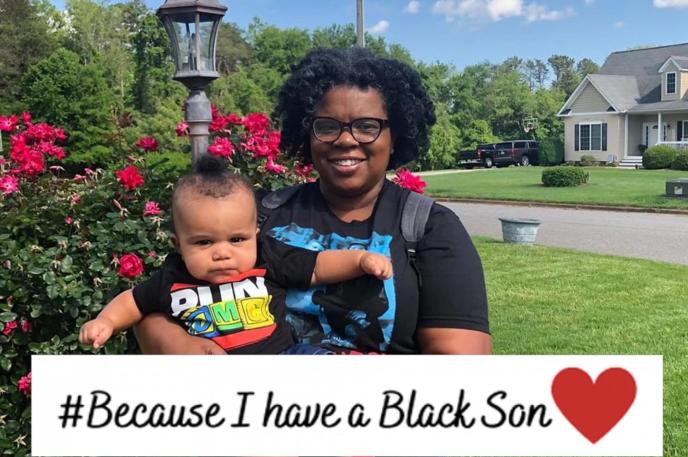
Bringing home a new baby is a time filled with a of myriad emotions: joy, excitement, anxiety, fear. Taking classes, reading books and listening to advice-both unsolicited and solicited-can never fully prepare a new parent for every possible situation that may arise. And there is nothing, no book, no person, or no oracle that can prepare a parent of a Black son for how it feels the first time you hear the news about a Black man falling victim to the ills of our society because he “fit the description,” was “in the wrong place at the wrong time,” or simply because he was perceived as a threat. 

On February 23, 2020, I remember clutching my then three-and-a-half-month-old son in my arms upon hearing about the shooting death of 25-year-old Ahmaud Arbery. I had seen and read about so many others around the country and even in our city, but this time it hit differently. This time, as the mother, I wept for the future of my Black son. Three months later, on May 25, 2020, I would weep again for George Floyd, the 47-year-old Black man who called out for his mama, his dead mama, as he lay dying in a Minneapolis street. 

As a children’s librarian, I have always valued diversity in children’s books and children’s library programming. I believe children’s books can serve as both windows and mirrors. They can provide a glimpse into situations that may be new and different for some while reflecting others’ lived experiences. Picture books can be valuable tools that help start difficult conversations, and they can affirm and uplift. 

As a mother, who happens to be a children's librarian, I take early literacy seriously. Even though my son is only 10 months old, we make time each week for Active Reading. We regularly read books that reflect who he is and who he will become. By asking questions, building vocabulary and making connections, I am not only setting a strong foundation for literacy development, I am also validating the qualities that make him special and unique, despite what the outside world may think. I don’t stop there though; then, I read books where the children characters are not like him: they have different abilities and their families do not look like ours. Then I validate their special and unique qualities, too. 

We still have a few years before my son is ready for the talk, and I do not mean the birds and the bees. I’m talking about the talk that many Black parents give their children, especially their sons, about what to do if the police pull them over. The talk in which we will discuss why he is not allowed to wear hoodies in public and why it is never ok to play with toy guns. The talk in which we plan and execute how to return home safely each day. But until then, we will keep reading the stories that celebrate him and Black boys like him. And I will encourage others to do the same so that as he and other Black boys become men, society will remember that they, too, are someone’s sons.


This blog was written by Alesha Lackey, a children's librarian at Allegra Westbrooks Regional Library.

Thumbnail
Book Club Kits for your Book Club at the Library

Book Club Kits Expand Offering

March 4, 2020

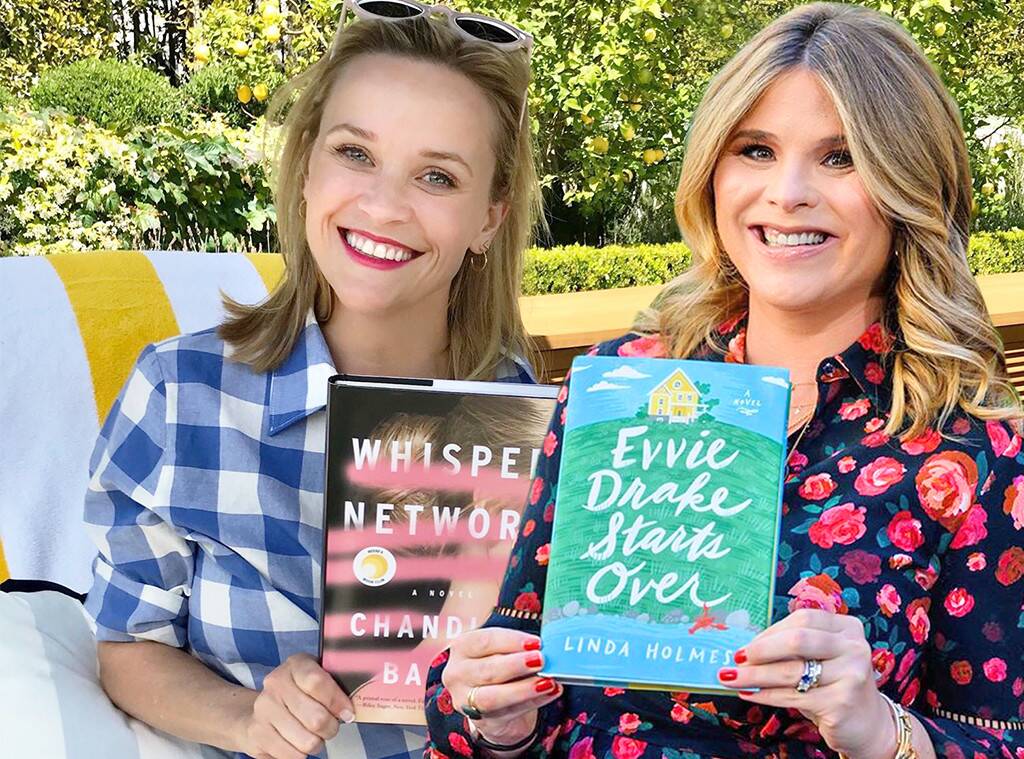
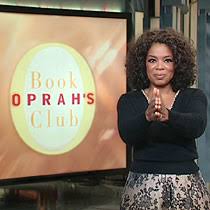
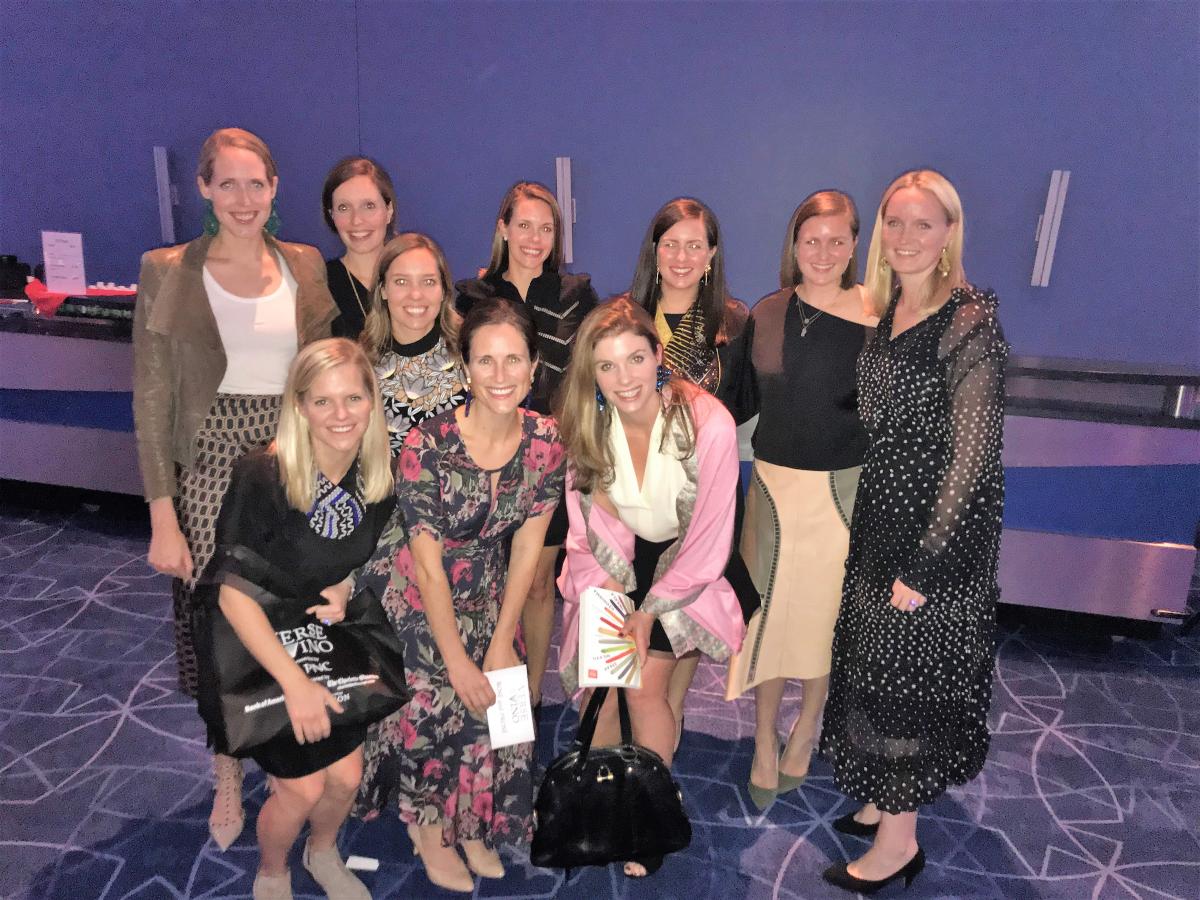
Even in today’s internet-led world, book clubs are still as popular as ever. Celebrities like Oprah Winfrey, Reese Witherspoon and Jenna Bush Hager curate their own book club titles. At the Charlotte Mecklenburg Library Foundation’s annual Verse & Vino, tables sell out fast and are filled by Book Club members – a testament that avid readers are looking not only for a great title, but also for a great experience.

How can the Library help your book club?


For starters, we have the books. LOTS OF Books. Nearly 200 titles are available in our book club kits.

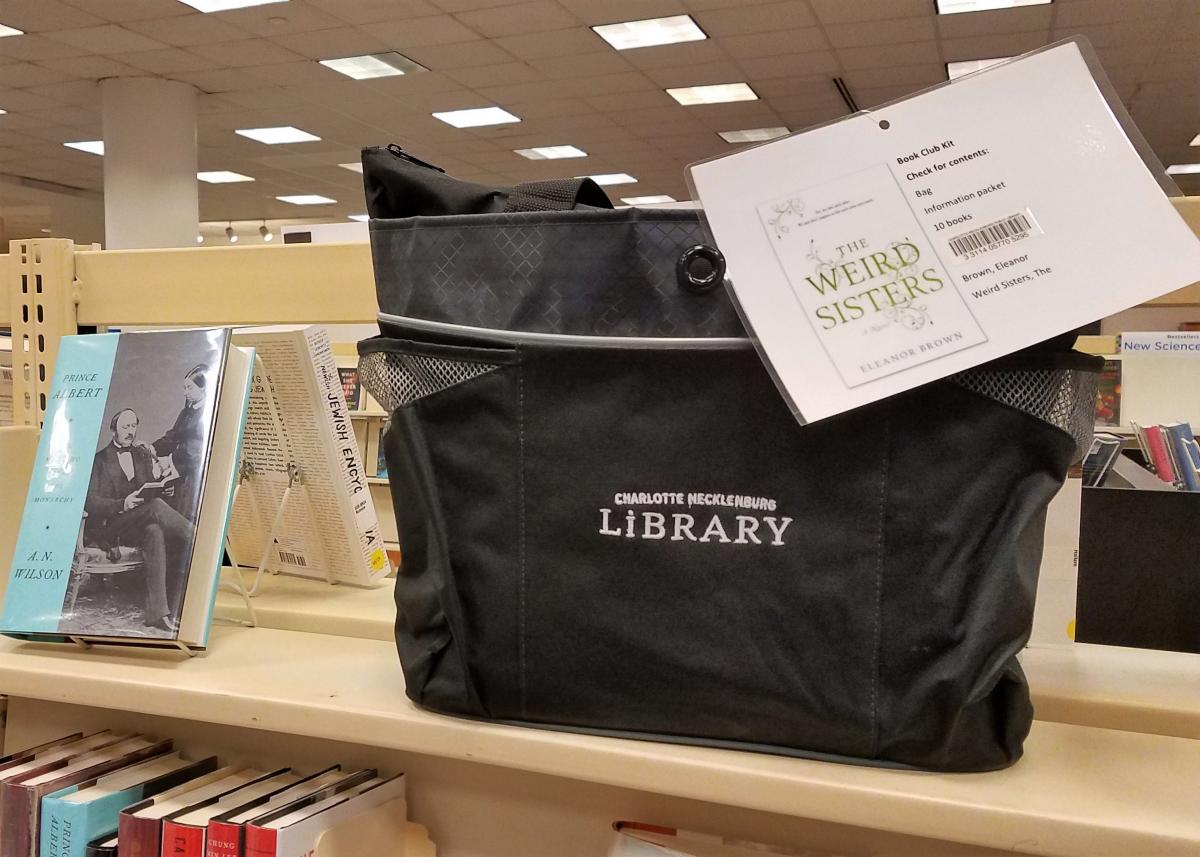
What’s a book club kit? Charlotte Mecklenburg Library has plenty of book club kits available to check out for six weeks. Each kit has 10 copies of the book (paperback), an author biography and discussion questions, which are all conveniently packaged in a Library tote bag. Reserve your kit online or call Gina DeLisle, book club kit coordinator, at 704-416-0303.  Here's a link to the newest additions. If you can’t decide on a book, pick one from Gina’s lists or one of Oprah's Favorite Books
 

Where are the book club kits?

Book club kits are on display on the main floor at Main Library in Uptown. If a book club kit isn't on reserve, you can take it directly from the shelf and check it out.

The best way to ensure your book title choice is available, is to go on-line to reserve your kit.  On line you can see all the titles and also when kits are available. The kit will be delivered to the branch location you specify and typically takes three days to deliver.


How much does this cost?

What if you don’t have the funds to buy all these books new? Book club kits are FREE! Book clubbers on a budget will love checking out the book club kit from the Library.

Need a list of discussion questions for your book?

Don’t let your group get off the subject! Visit our valuable resource NoveList Plus for ready-made discussion questions to get your talk off to a good start. Check out the handy user tutorial on getting started.  

Let us do the work.

Short on time? Or maybe you're looking to join an existing book club. If so, let our expert staff do the planning and join one of our Library book clubs! Book clubs are offered at branch locations all through the County. New members are always welcome.  We’ve listed a few here, but check out our book club calendar to see them all. 

Book clubs, whether in your home or here at Charlotte Mecklenburg Library, are ways to empower your community and embrace diverse ideas. 

Thumbnail
Information on Coronavirus Diseas 2019 (COVID-19)

Information on Coronavirus Disease 2019 (COVID-19)

March 5, 2020

Desplácese hacia abajo para ver la versión en español

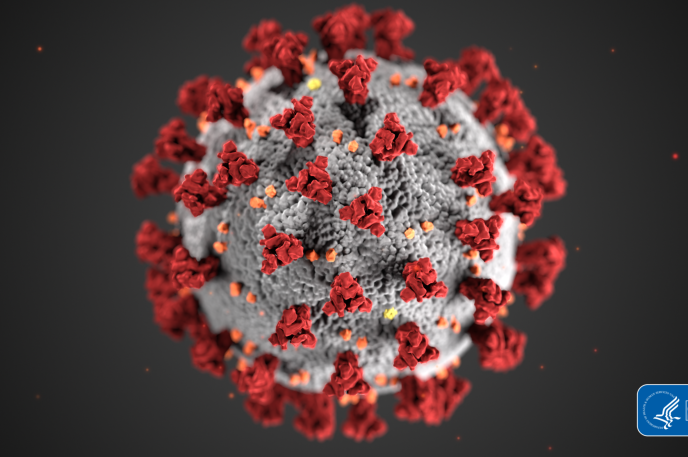
Mecklenburg County Public Health is working with the North Carolina Department of Health and Human Services (NCDHHS), the Centers for Disease Control (CDC), other local health departments and health care providers as well as community partners including Charlotte Douglas International Airport and the Charlotte-Mecklenburg Emergency Management Office (CMEMO) to prepare for any future potential cases in the County and in the State. At present, the majority of cases have been diagnosed in people who live in or have traveled to Wuhan, China. Currently, the risk for infection locally is low; however, usual prevention methods are recommended to prevent any further infections.

By now you’ve probably had conversations with coworkers, family, neighbors and acquaintances in the community regarding the risk, whether you should be concerned and what you should do. Here is some information that might be helpful to you and them (this information is also available on the County website and will be updated regularly.

Travelers who develop a fever or respiratory symptoms, including cough and difficulty breathing, within two weeks of leaving should contact their doctor right away and should call ahead before going to the clinic, urgent care or emergency room so appropriate steps can be taken to avoid exposing others.

At this time of year, respiratory illnesses in people in North Carolina are most likely due to infection with influenza or viruses that cause the common cold. People should take precautions to protect themselves from these infections, including practicing good handwashing, covering coughs and sneezes, avoiding touching your face, staying home when you are sick and getting your annual flu shot.

As you talk with your coworkers, friends and families about things you can do to protect yourself from respiratory infections like flu and COVID-19, here are a few suggestions:
  • practicing good handwashing,
  • covering coughs and sneezes,
  • avoiding touching your face,
  • staying home when you are sick and
  • getting your annual flu shot.
 

If you would like more information, here are several websites that will be updated regularly:

Find resources on COVID-19 in other languages here/encuentra recursos en COVID-19 en otros idiomas aquí:


If you're interested in making hand sanitizer, click here for a link to a homemade recipe.


Coronavirus COVID-19: Links You Can Trust

Coronavirus COVID-19 has been the subject of many recent news and social media reports. With the increase of fake and unreliable news, we suggest going to the following trusted sources to learn more about this topic.

World Health Organization (WHO)

The World Health Organization (WHO) is a trusted, authoritative source for public health information. The WHO announced the official name for the disease that is causing the 2020 outbreak of coronavirus disease: COVID-19.

  • Coronavirus (health topic)

    This landing page for the Coronaviruses family of viruses includes background, select news on the outbreak, and links to Questions and Answers on Coronaviruses.
  • Advice for the Public

    This WHO page on Coronavirus disease (COVID-19) has practical information for dealing with the outbreak on a personal level. The page includes video, graphics, myth-busters, and even tips for coping with related stress.

General Information and prevention

MedlinePlus

MedlinePlus offers up-to-date information in language you can understand. MedlinePlus is a service of the National Library of Medicine (NLM), the world's largest medical library, which is part of the National Institutes of Health (NIH).

Associated Press

The Associated Press (AP) is a not-for-profit news cooperative that is widely considered the least biased reporting in the U.S.

Johns Hopkins University

  • Coronavirus COVID-19 Mapping by Johns Hopkins CSSE

    The Center for Systems Science and Engineering (CSSE) at Johns Hopkins University is mapping the number of global cases, deaths, and recoveries from COVID-19. The data is updated throughout the day.


Información sobre la enfermedad por coronavirus 2019 (COVID-19)

El Departamento de Salud Pública del Condado de Mecklenburg está trabajando con el Departamento de Salud y Servicios Humanos de Carolina del Norte (NCDHHS por sus siglas en inglés), los Centros para el Control de Enfermedades (CDC por sus siglas en inglés), otros departamentos de salud locales y proveedores de atención médica, así como con socios de la comunidad, incluyendo el Aeropuerto Internacional Charlotte Douglas y la Oficina de Manejo de Emergencias de Charlotte-Mecklenburg (CMEMO por sus siglas en inglés) para prepararse para casos potenciales futuros en el Condado y en el Estado. En la actualidad, la mayoría de los casos se han diagnosticado en personas que viven o han viajado a Wuhan, China. Actualmente, el riesgo de infección local es bajo; sin embargo, se recomiendan los métodos de prevención habituales para prevenir futuras infecciones.

Probablemente ya haya tenido conversaciones con compañeros de trabajo, familiares, vecinos y conocidos de la comunidad sobre el riesgo, si debe preocuparse y qué debe hacer. Aquí encontrará información que puede ser útil para usted y para ellos (esta información también está disponible en el sitio web del Condado y se actualizará periódicamente).

Los viajeros que desarrollan fiebre o síntomas respiratorios, los cuales incluyen tos y dificultad para respirar, dentro de las dos semanas posteriores a la partida, deben comunicarse con su médico de inmediato y deben llamar con anticipación antes de ir a la clínica, atención de urgencia o sala de emergencias para que se puedan tomar las medidas adecuadas para evitar la exposición a otros.

En esta época del año, las enfermedades respiratorias en las personas en Carolina del Norte probablemente se deben a una infección con influenza o virus que causan el resfriado común. Las personas deben tomar precauciones para protegerse de estas infecciones, como practicar un buen lavado de manos, cubrirse la tos y los estornudos, evitar tocarse la cara, quedarse en casa cuando esté enfermo y recibir la vacuna anual contra la gripe.

Mientras habla con sus compañeros de trabajo, amigos y familiares sobre las cosas que puede hacer para protegerse de las infecciones respiratorias como la gripe y COVID-19, aquí hay algunas sugerencias:

• practicar un buen lavado de manos,

• cubrir toses y estornudos,

• evitar tocarse la cara,

• quedarse en casa cuando esté enfermo y

• recibir su vacuna anual contra la gripe.


Si desea obtener más información, aquí hay varios sitios web que se actualizarán periódicamente:

Encuentre recursos sobre COVID-19 en otros idiomas aquí:


Si está interesado en hacer desinfectante para manos, haga clic aquí para obtener un enlace a una receta casera.


Coronavirus COVID-19: enlaces en los que puede confiar

El coronavirus COVID-19 ha sido un tema publicado en muchas noticias recientes e informes de redes sociales. Con el aumento de noticias falsas y poco confiables, sugerimos ir a las siguientes fuentes confiables para obtener más información sobre este tema.

Organización Mundial de la Salud (OMS)

La Organización Mundial de la Salud (OMS) es una fuente confiable y autorizada de información de salud pública. La OMS anunció el nombre oficial de la enfermedad que está causando el brote de la enfermedad por coronavirus en el 2020: COVID-19.

Información general y prevención

MedlinePlus

MedlinePlus ofrece información actualizada que es fácil de entender. MedlinePlus es un servicio de la Biblioteca Nacional de Medicina (NLM por sus siglas en inglés), la biblioteca médica más grande del mundo, que forma parte de los Institutos Nacionales de Salud (NIH por sus siglas en inglés).

Associated Press

Associated Press (AP) es una cooperativa de noticias sin fines de lucro que es ampliamente considerada como la información menos sesgada en los Estados Unidos.

  • Noticias del AP

    Se cubren temas como la respuesta al brote del gobierno y las empresas.

Universidad de Johns Hopkins

  • Mapeo de coronavirus COVID-19 por Johns Hopkins CSSE

    El Centro de Ciencia e Ingeniería de Sistemas (CSSE por sus siglas en inglés) de la Universidad de Johns Hopkins está mapeando el número de casos, muertes y recuperaciones globales de COVID-19. Los datos se actualizan a lo largo del día. Está página solo está disponible en inglés.
Thumbnail
The Charlotte Mecklenburg Library offers a list of digital resources accessible for free during COVID-19 pandemic and Library closure.

Digital resources at your fingertips

March 16, 2020

Desplácese hacia abajo para ver la versión en español

Your Library’s mission is to improve lives and build a stronger community. Access to resources is important – even while practicing social distancing (limiting physical closeness to others to reduce the risk of exposure to disease). With recommendations to stay home and avoid crowds, this is a perfect opportunity to explore the world of e-books, e-audiobooks, movies, music, newspapers, magazines and more resources you can access for FREE, from anywhere, with your Library card.

Don’t have a Library card? Sign-up for one now.

Stay well and stay engaged with digital resources you can access today:*
 

E-books & More
freegal
hoopla (10 checkouts)
Kanopy (10 checkouts)
Kanopy Kids (unlimited checkouts)
NC Kids Digital Library 
OverDrive/libby
(20 checkouts)
      Looking for titles on OverDrive that are always available? Click here.
RBdigital magazines  (unlimited checkouts)

Keep up with the news
Charlotte Observer
New York Times  
New York Times - Digital Solutions
Wall Street Journal  
Value Line  

Learn a skill at home
lynda.com
Mango Languages
Universal Class

Storytime
Find storytime videos at our Digital Branch!

Additional resources
Need help navigating Library resources? Click the green flag labeled “Resource Tutorials” to the right of the Resources: A-Z page to access our Niche Academy tutorial videos.

Wi-Fi remains available at all Library locations. Wi-Fi signal will be extended at each branch to reach the perimeter of the facility.

Questions? We can help you. Online chat is available Monday-Friday from 9 a.m-9 p.m. Click "Ask a Librarian" on the cmlibray.org website.

Need a Charlotte Mecklenburg Library card? Sign-up for a Library card here.

Access Federal Depository Library Program (FDLP) resources for librarians and patrons here.
 

*For your convenience, this list will be updated periodically. (Last updated Friday, April 20, 2020 at 2:54 p.m.)


Recursos digitales a su alcance

La misión de su biblioteca es mejorar vidas y construir una comunidad más fuerte. El acceso a los recursos es importante, incluso mientras se practica el distanciamiento social (limitar la cercanía física con los demás para reducir el riesgo de exposición a enfermedades). Debido a las recomendaciones para quedarse en casa y evitar multitudes, esta es una oportunidad perfecta para explorar el mundo de los libros electrónicos, audiolibros electrónicos, películas, música, periódicos, revistas y más recursos. Usted puede accederlos GRATIS, desde cualquier lugar, con su tarjeta de la biblioteca.

¿No tiene una tarjeta de la biblioteca? Inscríbase ahora.

Por favor cuídese y utilice los recursos digitales disponibles: *


Libros electrónicos y más

freegal

hoopla (10 préstamos)

Kanopy  (10 préstamos)

Kanopy Kids (préstamos ilimitados)

NC Kids Digital Library 

OverDrive/libby (20 préstamos disponibles ahora)
      ¿Busca títulos en OverDrive que siempre estén disponibles? Haga clic aquí

Revistas RBdigital  (préstamos ilimitados disponibles ahora)

Manténgase al tanto de las novedades

Charlotte Observer
New York Times  
New York Times - Digital Solutions
Wall Street Journal  
Value Line  

Aprenda algo nuevo en casa
lynda.com
Mango Languages
Universal Class

Tiempo de cuentos

¡Encuentre videos de cuentos en nuestra sucursal digital!

Recursos adicionales

¿Necesita ayuda para navegar los recursos de la biblioteca? Haga clic en la bandera verde con la etiqueta "Resource Tutorials” (“Tutoriales de recursos") a la derecha de la página de Recursos: A-Z para acceder a nuestros videos tutoriales de la Academia Niche.

Wi-Fi permanece disponible en todas las sucursales de la biblioteca. La señal de Wi-Fi se extenderá en cada sucursal para alcanzar el perímetro de la ubicación.

¿Tiene preguntas? Le podemos ayudar. El chat en línea está disponible de lunes a viernes de 9 a.m. a 9 p.m. Haga clic en “Ask a Librarian” ("Pregunte a un bibliotecario") en la parte inferior del sitio web cmlibrary.org.

¿Necesita una tarjeta de la Biblioteca de Charlotte Mecklenburg? Inscríbase para obtener una tarjeta de la biblioteca aquí.

Acceda a los recursos del Programa de la Biblioteca Federal de Depósito (FDLP por sus siglas en inglés) para los bibliotecarios y los usuarios aquí.

 * Para su comodidad, esta lista se actualizará periódicamente. (Última actualización el viernes 20 de abril del 2020 a las 2:54 p.m.)

Thumbnail
Need help navigating the Charlotte Mecklenburg Library digital resources?

Need help navigating Library digital resources?

March 23, 2020

Feeling a little overwhelmed by the vast collection of digital resources the Charlotte Mecklenburg Library offers for free? Not sure how to use them or if you have the right equipment to access them? Below is an easy step-by-step guide on some of our most popular digital resources, online tutorials, and e-books and how you can access them with your Library card. Don’t have a Library card? Sign up for one here and gain immediate access.

(Apps are in alphabetical order)

Freegal Music – desktop and mobile app

Freegal gives you access to tons of songs, music videos, and audiobooks.

Desktop:

  1. To get started with Freegal using a computer web browser, click here.
  2. Once you are on the Freegal site, click “log in."
  3. Enter your Charlotte Mecklenburg Library card information, and then click “log in."
  4. When you are logged in, the home page will show featured content.  If you want to listen to something specific, enter the keyword in the search bar at the top of the screen.  If you’d rather explore, click the browse tab. 
  5. There are two ways to listen to music: downloading and streaming. Charlotte Mecklenburg Library customers get 5 free downloads (songs are 1 download and videos are 2) and 5 hours of streaming each week. Once downloaded, the songs or videos are yours to keep.
  6. If you want to add a song to a playlist, click the add-to-list button and select either create playlist or select a playlist you have already created.

Mobile app:

  1. Mobile customers can download the Freegal app for iOS from the Apple App store and on Android from the Google Play store.
  2. When you first open the app, Freegal will ask to access your location. Tap allow or don’t allow to continue. If you choose not to allow access, enter your zip code and then tap the continue button.
  3. A list of libraries will appear. Select Charlotte Mecklenburg Library.
  4. Enter your Charlotte Mecklenburg Library card number and pin.
  5. You are now ready to use Freegal. You will start on the home tab, which shows featured songs and artists.  If you want to search for a particular song by an artist, tap the search tab. If you want to look around, tap the browse tab.
  6. You can save the file for later, download and add it to a streaming playlist or wishlist.
  7. Your wishlist is found in the home tab and your downloaded files and playlists are found in the “my music” tab.


Hoopla – desktop, mobile app and Kindle Fire

Hoopla is a digital media service that offers tons of titles, including e-audiobooks, movies, e-books, television shows, music albums, and comics

Desktop:

  1. To get started using hoopla on your computer browser, click here.
  2. If you already have an account, enter your email address and password, and click the “log in” button.  If you don’t have an account, click the “get started” button in the center of the screen.
  3. In the box that pops up, click choose your local library and select Charlotte Mecklenburg Library.
  4. Enter your Charlotte Mecklenburg Library card number, your email address and password.
  5. You can now use hoopla. You will start on the home page, which shows all the titles you currently have borrowed and recently returned. To personalize your hoopla experience, click settings.
  6. Here you can choose the notifications you want to receive from hoopla, turn on or off kids mode and show or hide your borrowing history. You can also click the select button to the right of recommendations and click the genres that interest you for each type of media.
  7. To find a title, you can enter a term in the search bar and limit your search to a type of media when you click the dropdown menu in the search bar and select a media type.
  8. When you have found a title that interests you, hover over the title. You can click the borrow button to immediately check out the title or click the button to add it to your favorites. For more information, click the picture.

Mobile app:

  1. To access hoopla on your Android device, download the hoopla digital app from the Google Play store. To access hoopla on your iOS device, download the hoopla digital app from the Apple App Store.
  2. If you already have an account, enter your email address and password, and tap the “log in” button.  If you need to create an account, tap “sign up”.
  3. When creating an account, tap or search for Charlotte Mecklenburg Library.
  4. Enter your email address, a password and your Charlotte Mecklenburg Library card number.  Tap the “sign up” button.
  5. You are now able to use hoopla. The home tab will be the first page you see. Charlotte Mecklenburg Library customers are allowed 10 checkouts per month.
  6. Tap type of media to browse its available titles. Scroll to the bottom of the page to select specific genres.
  7. When you select a title to borrow, the borrow button will change to play for videos, e-audiobooks and music or will change to read for e-books and comics. Tap the "play" or "read" button to enjoy your title.
  8. If you are coming back to a title you have already started, tap the resume bar in the middle of the page.
  9. To access hoopla’s settings, tap the three-dot icon and select "settings."

Kindle Fire:

  1. To use hoopla on your Kindle Fire, download the hoopla digital app from the App store.
  2. If you already have an account, enter your email address and password, then tap the "log in" button. If you need to create an account, tap "sign up".
  3. To sign up, enter your email address and password. Tap or search for Charlotte Mecklenburg Library. Enter your Charlotte Mecklenburg Library card number.
  4. With your account created, tap “sign up” to agree to the terms and conditions.
  5. You are now able to use hoopla on your Kindle Fire.
  6. Tap “let’s go” to start exploring titles.
  7. If you chose to borrow a title, the borrow button will change to play for videos, e-audiobooks, and music or read for e-books and comics. Tap the "play" or "read" button to start enjoying your new title. To see a full list of titles you have borrowed, tap the "borrowed" tab on the home screen. If you are coming back to a title you have already opened, tap the "resume bar" in the middle of the picture.


Kanopydesktop and mobile app

Kanopy is a streaming service with access to thousands of films, documentaries, and television shows. It includes selections from the Criterion Collection, the Great Courses, film festival winners, independent directors, and much more. 

Desktop:

  1. Click here for the kanopy site.
  2. Once on the kanopy login page, click "add library card."
  3. Enter your Charlotte Mecklenburg Library card information and click continue.
  4. To create your account, enter your first and last name and your email account.  You will need to create a password. Click "sign up."
  5. You will need to verify your email address before you can enjoy movies. Sign into your email account, select the email from kanopy.com and click the "verify email" button. Kanopy will return you to the homepage.
  6. To search for a film, enter your search terms in the search box and click the magnifying glass.
  7. Use the tabs at the top of your search results to sort by videos, subject, or companies.
  8. Use the filters on the side bar to narrow results.
  9. There is a browse tab next to the search bar to explore genres.
  10. Once you have found something to watch, click the title card.
  11. At any time, you can click your account name to see the menu. From here, you can access your dashboard, watchlist, viewing history, and parental controls.
  12. To find children’s titles, click "go to Kanopy Kids."
  13. The first time you visit Kanopy Kids, you’ll be asked to set up parental controls.

Mobile app:

  1. To get kanopy on your mobile device, download the kanopy app from the Apple App store for iOS and the Google Play store for Android.
  2. When opening the app for the first time, tap "log in."
  3. Enter your email address and password, and then tap “log in”. If you don’t have an account, go to create an account.
  4. To create your account, enter your first and last name and your email account. You will need to create a password. Click "sign up."
  5. You will need to verify your email address before you can enjoy movies.  Sign into your email account, select the email from kanopy.com and click the "verify email" button. kanopy will return you to the homepage.
  6. To enable notifications, tap "allow." Otherwise, tap “not now”.
  7. Once on the kanopy homepage, you can browse curated films or tap the magnifying glass to search for a film.


Libbymobile app

Libby—a mobile app for Android and Apple iOS devices that gives you a seamless borrowing and reading experience. 

  1. Libby is an app that can be downloaded for Android from the Google Play store or on your iOS device, from the Apple App Store.
  2. When you first open the app, you’re greeted by Libby, who wants to know if you already have a library card. If you do, tap "yes." If you need to get a Charlotte Mecklenburg Library card, click here first and come back to step three.
  3. You can select to either have Libby search for Charlotte Mecklenburg Library, if your GPS is turned on, or you can find Charlotte Mecklenburg Library yourself through the search option by entering your zip code.
  4. Next, Libby wants to know your primary reading preference. Tap either “I’ll mostly read on a Kindle” or “I’ll mostly read on Libby”.
  5. You will then sign in with your library card. Enter your Charlotte Mecklenburg Library card number and pin and tap “sign in”.
  6. Once you are signed in, it will take you to Libby’s home page.
  7. Use the top bar to search and browse for titles.
  8. Tap a title’s image to see a description. If the title is unavailable, a bar below the title image will show its wait period. Tap the “place hold” button to reserve a copy.
  9. You can always access your holds and borrowed titles from the homepage. Just tap Shelf at the bottom of the screen. The holds tab shows the progress of your holds.


lynda.com – desktop only

Lynda.com is an online learning platform that helps you learn business, software, technology, and creative skills to achieve personal and professional goals.

Desktop:

  1. To use lynda.com, you will need to create a profile. Click here to get started.
  2. Enter your Charlotte Mecklenburg Library card information and a password and then click create a profile.
  3. The homepage shows popular learning paths and topics. To see the full list of everything offered, hover over the Library dropdown menu.
  4. Browse the list and click a course to start learning.


Mango Languages – desktop and mobile app

Mango Languages is a language learning tool that offers instruction in more than 70 languages. There are even courses for people who are learning English as a second language.

Desktop:

  1. To use Mango Languages on a computer web browser, click here.
  2. Enter your email and password, then click “log in”.
  3. If you don’t have an account, you will need to create one. Enter your name, email, Charlotte Mecklenburg Library card information and a password. Click “sign up”.
  4. To finish creating your account, read the data consent form and click “I agree”.
  5. Once signed in, you will be taken to the pathway page. Each language pathway is composed of units, chapters and lessons. To start learning, click the chapter you wish to study.
  6. Each chapter contains a variety of lessons on listening, reading comprehension and speaking skills. Click a lesson bubble to start learning.
  7. Once the lesson opens, click the right arrow button to advance the slides.
  8. To change the lesson settings, click the gear icon. To adjust the volume, click the volume slider or click the toggles to switch off the narrator, closed captions or quiz timers.
  9. When you’re finished with your lesson, click next to start the upcoming lesson. Click restart to review the current lesson or click exit to return to the language pathway page.

Mobile app:

  1. To get started, download the Mango Languages app from the Google Play store or the Apple App store.
  2. If you don’t have an account, you will need to create one. Enter your name, email, Charlotte Mecklenburg Library card information and a password. Click “sign up”.
  3. To finish creating your account, read the data consent form and click “I agree”.
  4. Once logged in, you have the option to allow notifications. Tap the don’t allow or allow button to continue.
  5. You will be taken to the learning pathway. Each language pathway is composed of units, chapters, and lessons. To get started, tap a lesson bubble.
  6. To continue with a course you have already started, tap the arrow button and then tap resume. To review material you’ve learned previously, tap “start review”.
  7. Once the lesson opens, swipe left to advance the lesson slides or swipe right to rewind.
  8. Tap the gear button to make changes to the course settings.


RBdigital – desktop and mobile app

RBdigital gives you access to various types of media such as e-books, e-audiobooks, magazines, comics, video, education, games, and music.

Desktop:

  1. For desktop, click the link here.
  2. Sign in if you already have a username and password.
  3. If you don’t have an account, you will need to register.  Enter your personal information and your Charlotte Mecklenburg Library card number and Charlotte Mecklenburg Library location.
  4. Now you will be able to sign in and browse titles.
  5. You will need to download the media manager at the bottom of the page for either Windows or Mac.
  6. Your downloaded media selection will open in the media manager.

Mobile App:

  1. For mobile app, download the RBdigital app for Andriod device from the Google Play store or for iOS from the Apple app store.
  2. When you open the app, tap “register now."
  3. Choose your country, state, and then choose Charlotte Mecklenburg Library.
  4. Tap create an account.
  5. Enter your Charlotte Mecklenburg Library card number and your personal information.
  6. You can use the search bar to find something specific. Tap the magnifying glass and enter your search criteria.
  7. From the menu icon, you can browse titles by selecting the genre.
  8. When you find what you are looking for, tap the "download" button.


This is just a short list of how to use some of our digital resources.

If you need additional help, please visit the online chat on the Library website at cmlibrary.org and click on “Ask a Librarian” between the hours of 9 a.m.-9 p.m.